Email is where most professional time goes to die. Not because it’s complicated because it’s relentless. The same types of emails arrive every day, requiring similar thought and effort, and they accumulate faster than you can handle them.
Integrating AI email writing into your workflow doesn’t solve the volume problem. But it dramatically reduces the friction of each individual email by handling the mechanical part getting the right words in the right order. In my own daily workflow, the 10 minutes I used to spend agonizing over a single difficult reply has become 90 seconds.
Here are the exact templates and practical AI email writing approaches I actually use every week to maintain inbox zero, organized by email type.
The Key Mindset Shift for AI Email Writing
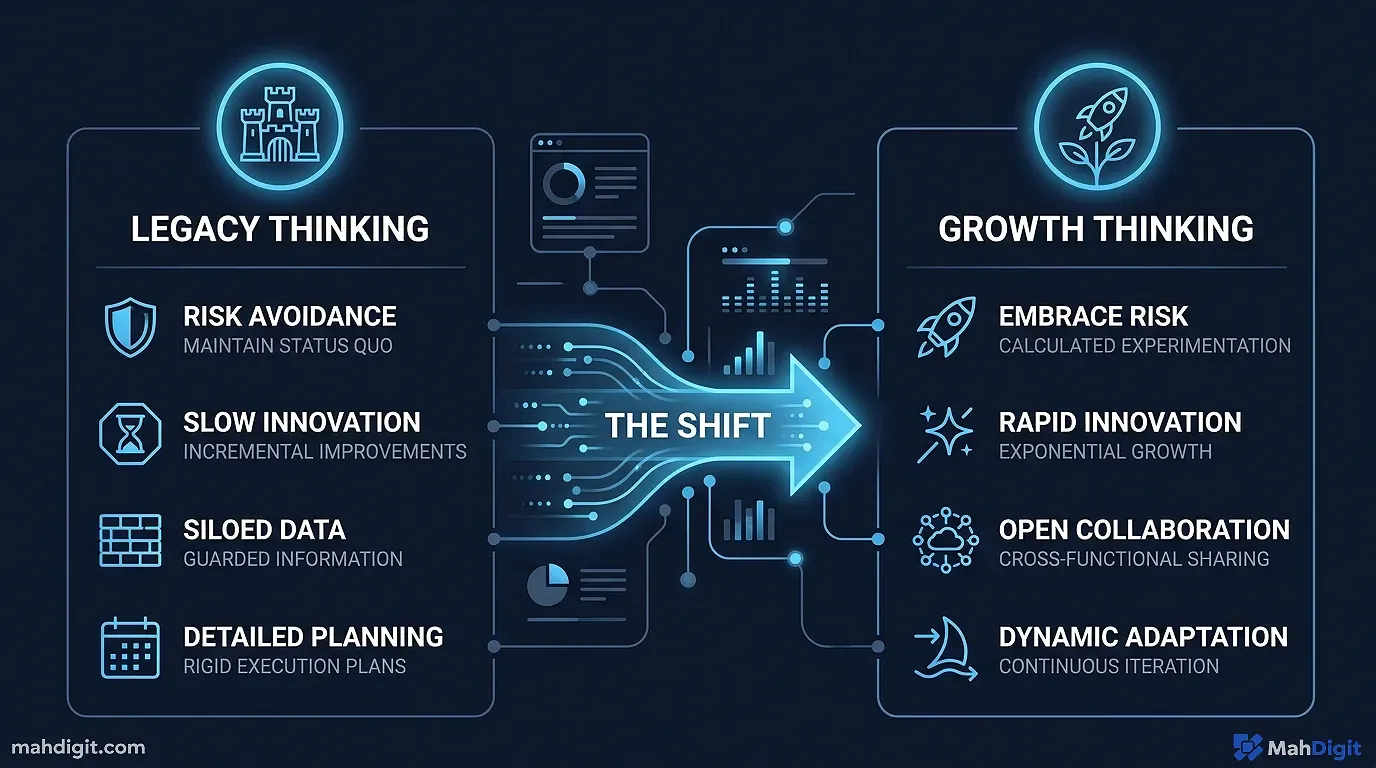
Most people try to use AI to write emails from scratch. They type “write an email to John about the project” into ChatGPT. That produces generic, overly-enthusiastic output that sounds like a robot read a 1990s business communication textbook.
The better approachwhat I call the “Intent-First Method”is to give the AI your intent and let it handle the languaging. You tell it what you want to say in raw, unfiltered bullet points or rough fragments; it turns that into a polished, appropriately-toned email.
For example, last month I had to tell a client their feature request would cost extra. Instead of spending 15 minutes softening the blow, I typed: “Tell Mike we can build the widget, but it’s out of scope and costs $500. Be polite but firm.” The AI instantly generated a perfect client-service response.
This method is faster than writing from scratch, and the output actually sounds like you because the substance came from you. The AI simply acts as an executive assistant doing the typing.
Email Type 1: The Delayed Reply
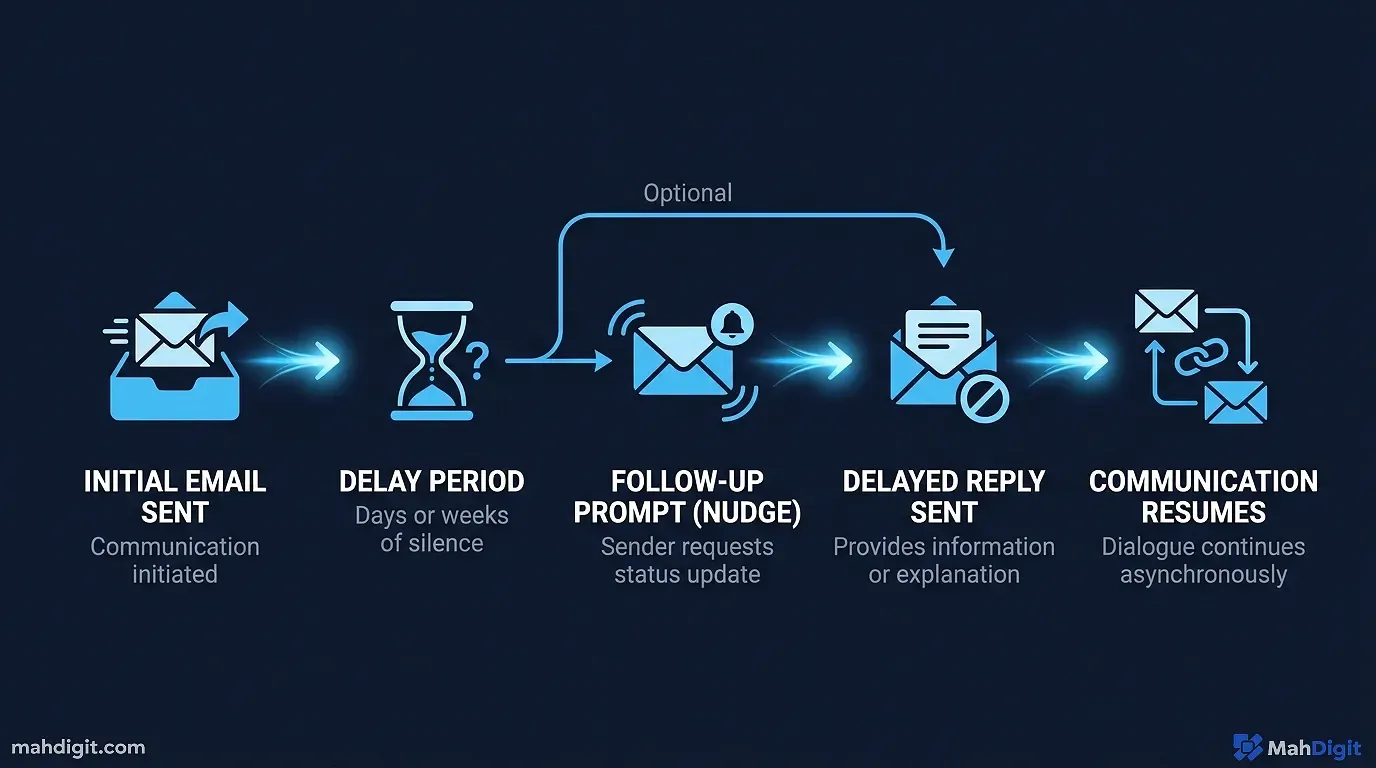
You’ve let an email sit too long. Now you need to respond without making the delay worse by drawing excessive attention to it. We’ve all been thereyou mean to reply, get distracted, and suddenly it’s been six days.
The AI Email Writing Prompt:
Context: I received this email [X days] ago and am replying late.
Original email: [paste email here]

Write a professional reply that:
- Doesn't over-apologize for the delay (one brief acknowledgment at the start is fine)
- Gets straight to answering or addressing their message
- Maintains a warm, collaborative tone
- Is under 100 words

My key points to include: [list what you actually want to say in bullet points]
Why this works: The AI handles the awkward opener so you don’t agonize over it. Last Thursday, I used this exact template to reply to a vendor I’d ignored for nearly two weeks. It took me 30 seconds to generate the draft, I tweaked one word, and they replied positively within the hour. You provide the substance; it provides the framing.
Email Type 2: The Difficult “No”
Declining a request, rejecting a proposal, or saying you can’t take on more work these require care to maintain the relationship while being crystal clear. Humans hate giving bad news, so we naturally add padding, “maybe later” caveats, or overly long explanations that just invite further negotiation.
The Prompt:
I need to decline [describe the request] from [describe who].
We have [describe the relationship client, colleague, vendor, etc.]

I want to:
- Be clear that the answer is no (not "maybe later")
- Give a brief, honest reason without over-explaining
- Leave the relationship intact and positive
- Keep it under 80 words

My actual reason (which can be softened): [your real, blunt reason]
Why this works: The AI is genuinely good at finding the professional language for things that are awkward to say directly. When I had to turn down a podcast invitation from a former coworker because I thought their audience was too small, the AI turned my blunt reason into a polite “I’m focusing my availability on my core business right now.” Run the output once, and it usually only needs one small human adjustment.
Email Type 3: The Follow-Up After No Response
Following up without being obnoxious is a balance most people get wrong. They either wait too long, sound passive-aggressive (“As per my last email”), or repeat everything from the first message.
The Prompt:
I sent this email [X days ago]: [paste original email]
I haven't received a reply.

Write a brief follow-up email that:
- References the original email without repeating its contents entirely
- Maintains a friendly, non-pressuring tone
- Includes one clear call to action (e.g., "Let me know by Friday")
- Is under 60 words

Context: [briefly describe the relationship and importance of this follow-up]
Why this works: The shorter the follow-up, the better it performs. Let the language model enforce that constraint for you. In my experience over the last year of using AI email writing tools, keeping follow-ups under three sentences dramatically increases the response rate. A quick AI-generated nudge gets the job done without damaging rapport.
Email Type 4: The High-Stakes Cold Outreach
Cold emails are where AI helps mostand harms mostdepending on how you navigate the workflow.
When AI helps: Structuring the email, writing a compelling subject line, and ensuring your value proposition is clear and concise.
When AI hurts: Using it to blast generic sequences that feel completely automated. Readers can spot a ChatGPT-generated cold pitch from a mile away.
The Cold Email Prompt:
I'm reaching out to [name + role + company] about [specific opportunity].

Background on them: [paste 2-3 sentences of research you've done on their recent work, LinkedIn posts, or company news]
My offer/reason to connect: [what you're actually proposing]
Desired outcome: [what you want them to do reply, take a call, review a link]

Write a cold outreach email that:
- First sentence references something specific about them (use the background I provided)
- States the value proposition in one clear sentence
- Has one specific call to action
- Is under 100 words total
- Uses a conversational, peer-to-peer tone (no formal corporate openers)
The specificity from your manual research is what makes the email feel human and non-templated. The AI structures it, but your research is the fuel. For an authoritative guide on cold outreach best practices to pair with your prompts, I always recommend checking HubSpot’s sales email guidelines to understand the psychology of what actually gets opened.
Email Type 5: The Clear Internal Update
Status updates, project summaries, stakeholder updates these feel low-stakes but are read by busy people with limited attention spans. Most professionals spend way too long drafting these relative to the value they provide.
The Prompt:
Write a concise internal email update for [project name].

Audience: [who's receiving it your team, your manager, stakeholders]
Status: [one-word status On Track / At Risk / Delayed / Complete]
Key updates: [list 3-4 bullet points of what happened this week]
Next steps: [what happens next and who owns it]
Any blockers or risks: [what management needs to know to help]

Format: brief introduction, clear updates, next steps, sign-off. Under 150 words.
Tone: direct, professional, informative, zero filler. Use bolding for key terms.
I rely on this template every Friday morning for my team’s project syncs. Internal updates benefit enormously from large language models because they follow a predictable structure.
Email Type 6: The Professional Complaint or Escalation
Writing to complain professionally about a vendor, a service failure, an unmet commitment requires the right balance of assertiveness and professionalism. When we are angry, we write emotionally. Emotional emails rarely get the results we want.
The Prompt:
I need to write a complaint or escalation email to [company/person] about [issue].

Facts of the situation:
- [what happened objectively]
- [exact timeline]
- [the impact on me/my work/my business]
- [previous attempts to resolve it, if any]

What I want as an outcome: [specific resolution, refund, accountability, etc.]

Write a firm but professional complaint email that:
- States the facts clearly and without hyperbole
- Is assertive without being threatening, aggressive, or emotional
- Requests the specific resolution with a reasonable timeline (e.g., "Please reply within 48 hours")
- Is under 200 words
The AI naturally produces a more measured, objective tone than most people manage when they’re frustrated. I used this recently when a software vendor double-charged my account. My first manual draft was furious; the AI’s draft was calm and legally firm. The refund was processed the exact same day.
Saving and Optimizing Your Best Prompts
Once you’ve used an AI email writing template that works for a recurring situation, save it somewhere reusable. I keep a dedicated document specifically for my communication prompts, organized by category (Client Facing, Internal, Vendors).
Every time the same situation comes up, I copy the template, fill in the brackets, run it through ChatGPT or Claude 3.5 Sonnet, and make my manual adjustments in 30 seconds. My total time per email is consistently under two minutes.
This is what separates AI as a neat party trick from AI as a sustained time-saver. The templates accumulate over a few weeks of use, and each one represents a type of email you never have to think about from scratch again. If you’re looking to apply these same efficiency gains to your creative work, our AI for Content Creators Guide covers the full production pipeline.
Inline AI Tools The Even Faster Option
If you want to skip the copy-pasting step, there are AI email writing tools built directly into your email client. While typing prompts into a separate tab gives you the most control, these inline options are incredible for rapid-fire inbox management:
- Gemini for Google Workspace: Available right in the Gmail sidebar. It can read the entire email thread you’re replying to and draft a context-aware response instantly.
- ChatGPT Chrome Extension: Adds AI functionality to any text box on the web, including Gmail and LinkedIn.
- Grammarly AI: Functions as an ever-present writing assistant that polishes your drafts as you type, suggesting tone shifts and clarity improvements on the fly. You can read our full breakdown in our Grammarly AI review.
These inline options trade a bit of fine-grained control for pure speed. For straightforward replies, I rely entirely on Gmail’s built-in AI. For high-stakes emailslike negotiating a feeI always take the time to write a proper prompt in a standalone model.
Common AI Email Writing Mistakes to Avoid
As you integrate AI email writing into your daily routine, watch out for these predictable traps:
- Using AI output without personalizing it. An email that sounds slightly too polished for your normal style stands out. I always add one specific personal detail or soften one transition phrase to match how I actually talk. If your friends know you never say “kind regards,” your AI shouldn’t either.
- Asking the AI to write before giving context. Saying “Write a follow up email” is a recipe for garbage. “Write a follow-up email to the VP of Sales, referencing our Tuesday meeting, aiming to get the contract signed” gives you a usable draft on the first try. Context is everything.
- Sending without proofreading. Language models make confident errors (hallucinations), especially regarding names, dates, and specific data points. I have nearly accidentally fired off emails offering the wrong price because the AI guessed the number. Never hit send without reading every single word.
- Using AI for legally or ethically sensitive communications. Disciplinary conversations, contract terminations, or legal disputes require human judgment and company protocol. I might use AI to organize my thoughts for a meeting with HR, but I never use it to draft an actual legal notice.
Key Takeaways
Effective AI email writing works best as a drafting assistant, not an autonomous, unsupervised email bot. The combination of your specific intent with the AI’s structural languaging consistently beats doing either alone.
- Give the AI your intent and key bullet points; let it handle the grammar, structure, and tone.
- Save your successful prompt templates for recurring scenariosthis efficiency compounds over time.
- Use shorter, specific prompts; they produce better output than vague requests.
- Proofread every output before sending to catch AI hallucinations.
- Use inline tools (like Gemini or Grammarly) for fast replies, and full prompting via Claude/ChatGPT for complex, sensitive messages.
Frequently Asked Questions
Can AI write emails that sound like me? Yes but only if you give it the right inputs. The Intent-First Method (giving the AI your raw bullet points rather than an open-ended prompt) consistently produces output that sounds like your voice because the substance came from you. The AI handles the grammar and flow, not the ideas.
Is it safe to paste sensitive emails into ChatGPT? For confidential business communications contracts, HR matters, legal disputes I don’t paste the full email thread into a public model. I describe the situation in general terms instead. If your company uses a managed enterprise version of an AI tool, check your organization’s data policy before sharing any client or internal information.
What AI tool is best for email writing specifically? For quick in-client drafting, Gemini for Google Workspace is hard to beat it reads the full thread and understands context automatically. For nuanced, high-stakes emails where you need precise tone control, Claude or ChatGPT with a detailed prompt wins.
What’s Next
- For the writing quality tools that work in Gmail directly, our Grammarly AI review covers the best inline writing assistant.
- New to AI tools for professionals? Start with Getting Started with ChatGPT it covers the core prompting approach that underpins all of the templates in this post.
- Scaling your creative output? Check out AI for Content Creators to learn our full production workflow.
