I have spent the last decade staring at Visual Studio Code. I know every keyboard shortcut by muscle memory. I know how to navigate complex, nested directory trees completely blindfolded. For my entire career, software engineering was a manual, painstaking craft. It was a slow, methodical process of translating human logic into precise syntax that a dumb machine could successfully compile.
When tools like GitHub Copilot first emerged a few years ago, they were helpful. It felt like magic the first time it autofilled a tedious Python loop for me. But as the hype settled, I realized it was ultimately just very advanced autocorrect. You still had to drive the car; the AI just helped you steer slightly faster. If you did not know what you were building, Copilot could not save you.
In late 2025, that entire development paradigm shattered with the release of Google Antigravity.
Antigravity is not an AI assistant bolted onto an existing IDE. It is an “Agent-First” Integrated Development Environment built entirely from the ground up around autonomous AI capabilities. After using it extensively in public preview for the last six months to build actual production applications, I can comfortably say that the traditional method of writing software line-by-line is officially legacy behavior.
This is a deep dive into how Google Antigravity works, what the buzzy concept of “Vibe Coding” actually means in practice, and why your job as a software engineer is about to shift from manual digital laborer to strategic system orchestrator.
What Is an “Agent-First” IDE and How Does Antigravity Work?
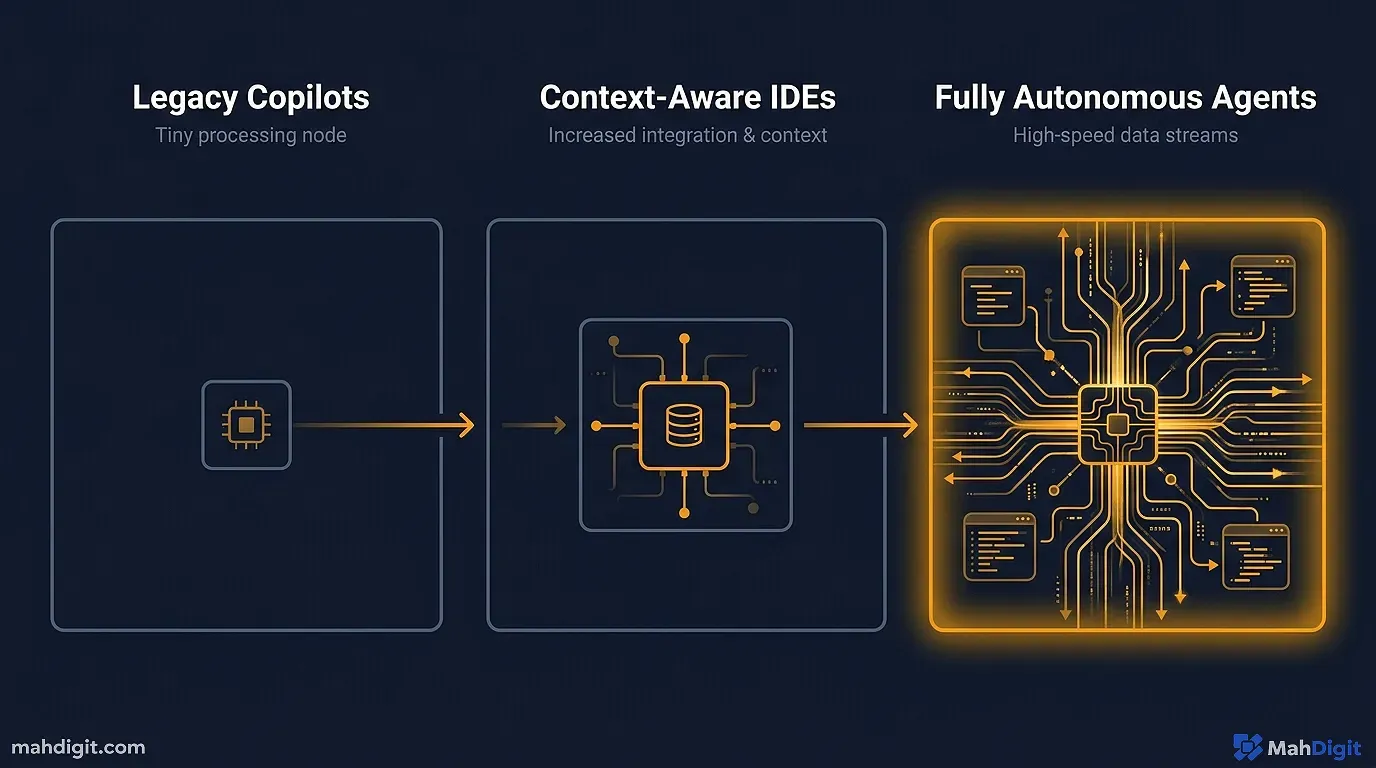
To truly grasp the power of Antigravity, you need to understand the difference between Generative AI and Agentic AI.
Generative AI (like ChatGPT or the original Copilot) requires you to highlight a specific block of broken code and explicitly command, “Fix this undefined variable bug.” It looks at the isolated context, generates a proposed output, and then waits for your next explicit command. It is entirely reactive.
An “Agentic” system, which powers Antigravity, is proactive and goal-oriented.
In Google Antigravity, you do not start by creating a file tree. You open a completely blank project and type a natural language command into the Manager View:
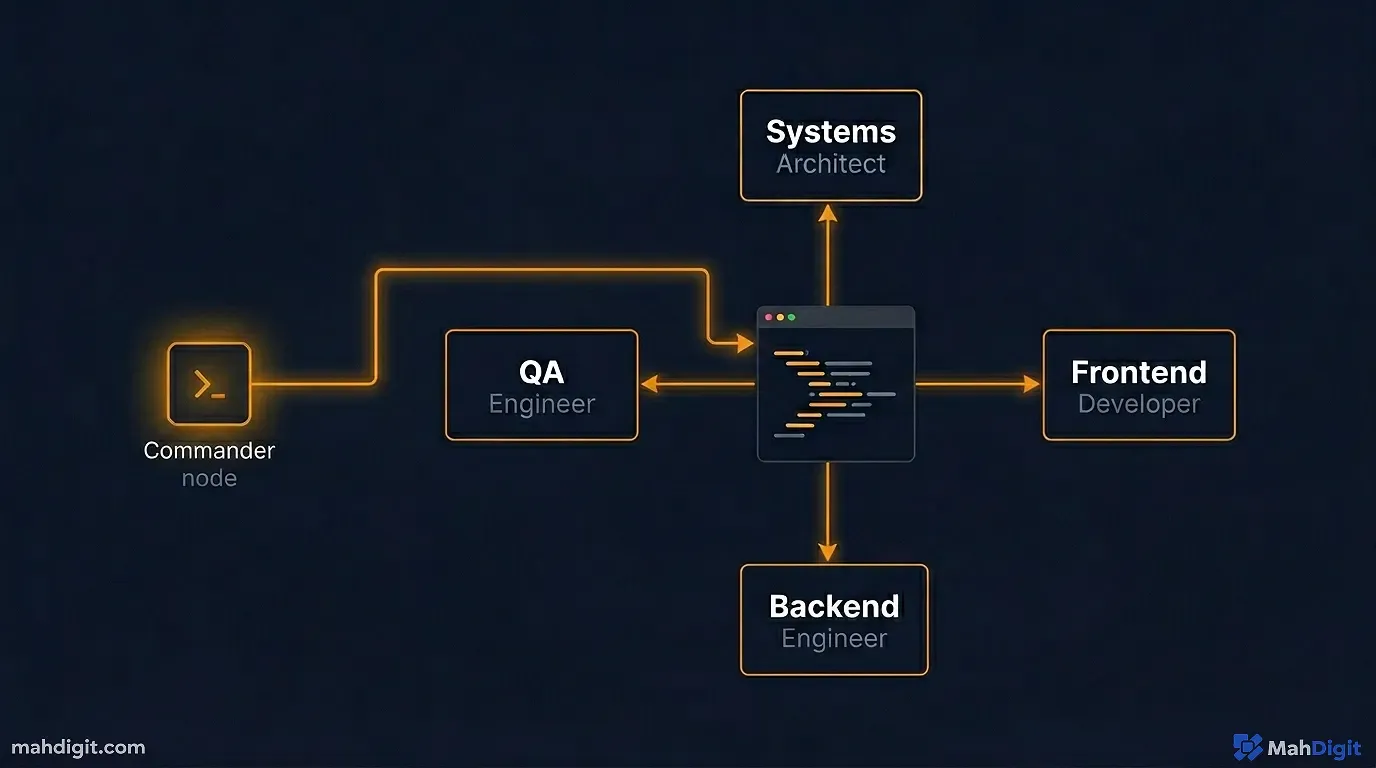
Build a fully functional React Native application for tracking daily water intake. Hook it up to a live Firebase backend for user authentication. Generate the UI using a minimalist blue and white Tailwind CSS theme. Once the core features are built, write the unit tests. Let me know when the app successfully compiles and runs in the emulator.The IDE does not just spit out a single block of code. Instead, it spins up a networked team of multiple autonomous AI agents.
- Agent A (The Systems Architect) plans the optimal directory structure, defines the database schema based on your request, and writes the initial configuration files.
- Agent B (The Frontend Developer) reads the Architect’s plan and starts sequentially generating the React components for the login screen and the water tracking dashboard.
- Agent C (The Backend Engineer) simultaneously builds the Firebase connection utility functions.
- Agent D (The QA Engineer) writes the Playwright or Jest unit tests specifically targeting the components Agent B is currently building.
These agents work in parallel, communicating with each other within the IDE’s internal state. You sit back, sip your coffee, and watch the file tree populate dynamically in real-time. This is the core magic of Antigravity: Multi-Agent Orchestration. You are no longer the junior developer typing the syntax; you are the Engineering Manager directing the talent.
For a broader, non-coding perspective on how these autonomous loops operate across the web, check out my layman’s no-code AI automation guide.
The Core Mechanics of Google Antigravity
Google brilliantly designed the visual interface of Antigravity to mimic the familiar layout of Visual Studio Code, meaning the environment feels instantly approachable to most developers. However, the underlying workflow is entirely alien to a traditional coder.
The platform natively relies on the large multimodal power of Google’s Gemini 3.1 Pro and Gemini 3 Flash models. Surprisingly, Google also supports plugging in open-source OpenAI variants and Anthropic’s Claude API keys if you prefer to swap the specific “brain” analyzing your code.
Here are the specific, workflow-altering features that make it a large leap forward.
1. The Manager View vs. The Editor View
Antigravity formally splits your workspace into two distinct modes of operation.
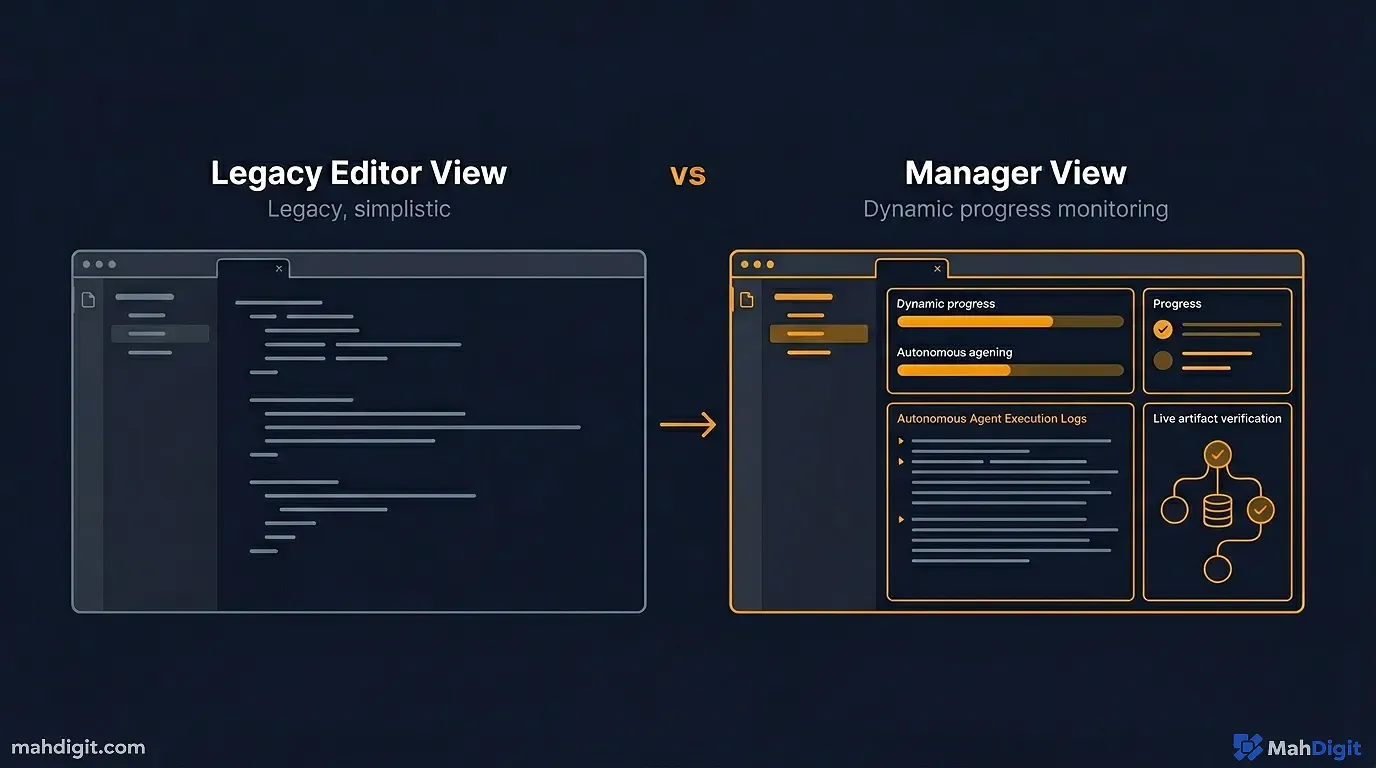
The Editor View is what you are used to raw code files on the left, an open text file in the middle, and a terminal on the bottom. There is a persistent AI chat agent running in a sidebar contextually analyzing the specific file you are touching, similar to older tools. I almost never use this view anymore unless I am tweaking a CSS hex code.
The Manager View is where the actual paradigm shift happens. It acts as a NASA-style command center. Instead of looking at code, you are looking at Agent execution logs. You can see ten different AI agents running asynchronous tasks simultaneously.
I recently watched an agent encounter a fatal Webpack bundling error in the terminal. Instead of throwing an alert and failing, the agent autonomously opened an internal browser tab, Googled the exact error code, parsed a relevant GitHub issue thread from three weeks ago, applied the recommended configuration fix to the Webpack file, and successfully restarted the dev server. It did this in under 14 seconds. Watching that level of autonomous problem-solving happen on my screen was terrifyingly impressive.
2. Built-in Verification (The Artifact System)
The biggest problem with AI code generation prior to 2026 was confident hallucinations. An AI would proudly write a large Python script that relied on a specific library function that did not exist. You would hit run, and the whole system would immediately crash.
Antigravity solves this specific problem with ruthless self-verification. Before an agent is allowed to mark a requested task as “Complete” in the Manager View, it must prove that the code actually works.
It executes the unit tests. If it is building a frontend application, it fires up an internal headless browser and actually clicks the button it just built to ensure the CSS renders correctly and the state updates.
Crucially, it generates “Artifacts” screenshots of the rendered UI, terminal output logs, and even short, five-second WebP video recordings of the automated browser interaction. The IDE shows you an animated recording of the AI clicking the “Submit” button and verifying the success state. It proves to you that the code works visually before you ever have to write a code review or compile it yourself. This eliminates the blind trust that plagued earlier generations of AI tools.
3. The Unified Context Environment
In a traditional development workflow, your context is heavily fragmented. You have VS Code open, four Chrome tabs of StackOverflow for debugging, your local terminal running a noisy dev server, Postman open for testing API endpoints, and a Figma file for reference.
Antigravity unifies this fragmentation entirely. The agents have direct, native access to the terminal to run and observe commands. They have their own integrated web browser to read live, updated documentation directly from React or Stripe’s websites. You can drop a Figma link directly into the prompt, and the multimodal model will analyze the design and extract the exact hex codes and padding measurements to build the UI identically. It is a closed-loop system where the AI has all the tools a human developer would have on their desktop.
The Era of “Vibe Coding”
As Antigravity and its primary competitor, the heavily updated Cursor IDE, dominate the 2026 developer landscape, a new term has thoroughly infiltrated the software engineering lexicon: “Vibe Coding.”
Vibe Coding is the practice of describing the desired architectural outcome in high-level natural language and letting the intelligent machine handle the granular syntax implementation. You dictate the overarching “vibe” or the business logic requirements, and the machine fills in the millions of missing blanks.
We used to spend 80% of our productive time arguing with compilers over missing semicolons, misaligned div tags, or circular dependencies. Vibe Coding eliminates that friction. You now spend your time thinking exclusively about high-level system architecture, secure data flow between microservices, handling weird edge cases, and optimizing the core user experience.
If this structural shift sounds familiar, it is because this is the transition I described occurring for businesses in my AI for small business quick wins guide. The fundamental role of the human operator is shifting rapidly from technician to orchestrator across all digital disciplines, but the shift in software engineering is moving the fastest.
Antigravity vs. The Competition
To put this in perspective, here is how the primary IDE environments compare for a modern web developer in 2026.
| Feature | VS Code + Copilot | Cursor IDE | Google Antigravity |
|---|---|---|---|
| Core Philosophy | Reactive Autocomplete | Context-Aware Assistant | Autonomous Multi-Agent |
| Agentic Capability | Low (Requires human driving) | High (Excellent codebase rewrites) | Extreme (Orchestrates entire builds) |
| Terminal Access | Limited | Deep Integration | Native & Autonomous Editing |
| Artifact Generation | None | Minimal | Core feature (Screenshots/Videos) |
| Best Used For | Maintaining legacy codebases | Rapid feature development | Greenfield projects & Orchestration |
While Cursor remains incredibly popular for developers who still want to operate primarily in the Editor View and touch the code directly, Antigravity wins outright for users who want to step back and manage the actual build process from a higher architectural level.
The Reality of Vibe Coding: The “Black Box” Problem
Honestly, I think the hype around Antigravity slightly undersells how dangerous it is to over-rely on it, especially for solo developers. It is not a perfect, flawless utopia. Antigravity has significant structural flaws that you will slam into when you push it past basic application development and into the messy reality of enterprise software.
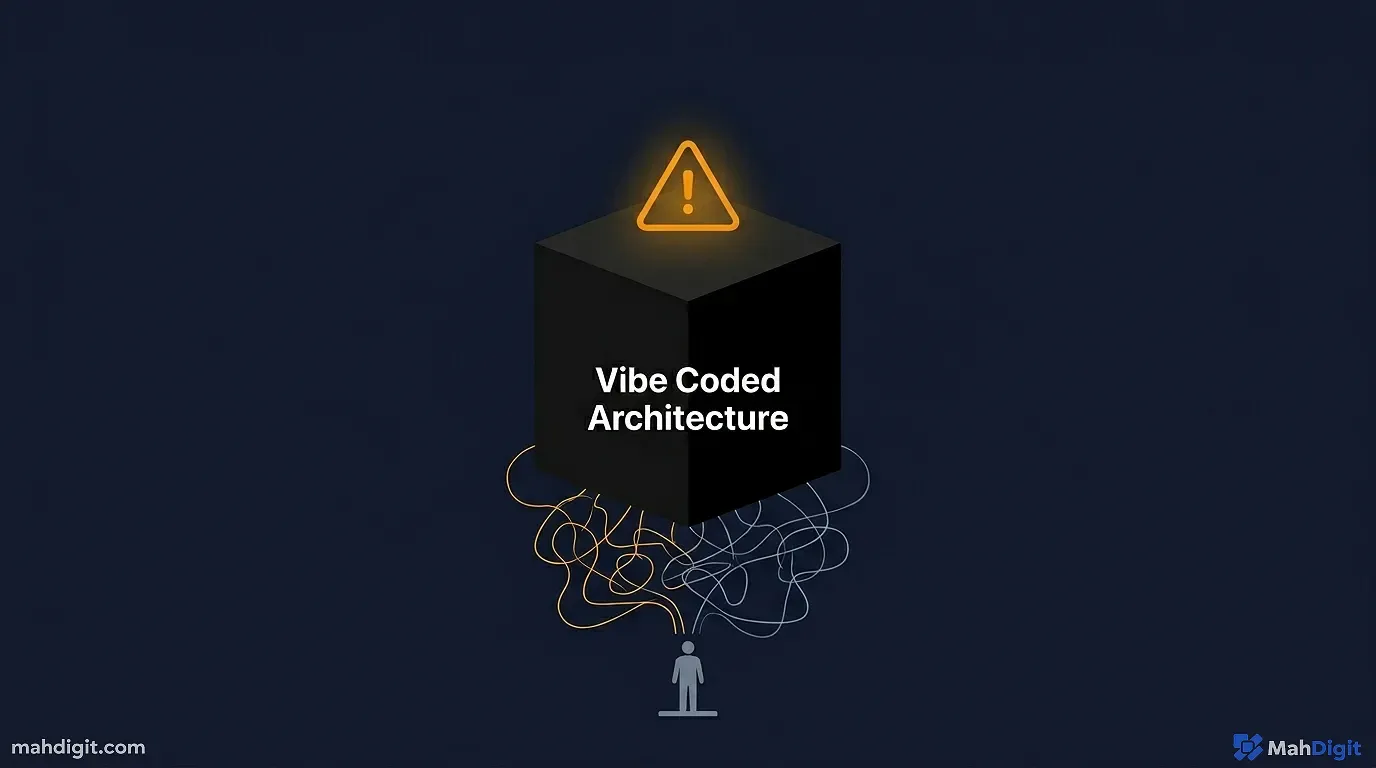
The most dangerous pitfall of Vibe Coding is the “Black Box” problem.
When you write an application manually, agonizing over every line of logic, you build a mental map of how the system works. When a bug occurs a month later, you have an intuition about where to look.
When an AI agent writes 5,000 lines of complex, optimized React logic while you are grabbing a sandwich, you do not have that mental map. The code works well today, but when a hidden memory leak occurs two months later under heavy user load, debugging it becomes an absolute nightmare. You are staring at a large, complex architecture that you did not personally construct.
You find yourself prompting the AI to debug the AI’s code, which creates a dangerous abstraction loop. If the agent gets confused by the legacy codebase it created, you are effectively locked out of your own product because you never understood the underlying syntax in the first place. You must consistently force the agents to write excessively detailed technical documentation and code comments to mitigate this risk.
The Death of the Junior Developer?
This brings us to the most uncomfortable reality we have to discuss in the software industry. If I can spin up three Antigravity AI agents to build a boilerplate CRUD application, connect it to a database, and well style it with Tailwind CSS in 15 minutes, why would I ever pay a junior developer $80,000 a year to do the exact same thing in three weeks?
Google’s internal AI division predicts that by the end of 2026, up to 90% of boilerplate, standard functional code will be entirely AI-generated.
This does not mean software engineering is dead. It means manual syntax typing is dead. The demand for Senior Engineers people who understand distributed system design, API security, database performance optimization, and how to effectively manage these erratic AI agents is higher than it has ever been in human history.
Junior developers who spent four years in university learning how to write a well syntax-compliant Java for loop are finding their skills commoditized to zero. The path to becoming a Senior Engineer used to involve writing thousands of lines of bad code until you learned how to write good code. Now, that stepping stone is gone. New developers must focus entirely on system architecture and prompt engineering to provide any value.
Cost and Hardware Implications
Running multiple autonomous agents utilizing top-tier proprietary models is incredibly expensive. Every time an Antigravity agent “thinks” about a problem, reads a file, searches the web, and rewrites a function, you are burning API tokens.
An autonomous agent stuck in a debugging loop failing to fix a Webpack error can accidentally burn through ten dollars of API credits in twenty minutes. While the large efficiency gains usually offset these high API costs for professional agencies and backed startups, it is a significant financial barrier for independent hobbyists trying to learn the platform.
We are seeing a large push within the developer community towards local model execution to combat these cloud API costs, a strategy I detailed extensively in best free AI tools. Some developers are actively hacking Antigravity to route its internal agent requests to self-hosted LLMs running on large server rigs in their garages, proving that open-source AI is the only long-term defense against crippling API subscription fees.
Key Takeaways
Google Antigravity redefines what it means to be a programmer. We are officially moving from writing explicit instructions for dumb machines to managing capable, occasionally erratic digital workers.
- Generative vs. Agentic: Stop thinking of AI as a glorified autocomplete tool. Antigravity’s agents plan, execute, debug, and verify complex multi-step tasks autonomously.
- The Artifact System is Crucial: The Antigravity IDE proves its code actually works by independently running unit tests and generating visual artifacts (screenshots and WebP videos), eliminating the blind trust in hallucinated syntax.
- Vibe Coding is the New Standard: You dictate the high-level architecture in natural language; the AI handles the granular implementation and fixes the compiler errors.
- Your Role is Changing: If your only marketable skill is writing basic JavaScript functions, you are obsolete. You must evolve into a strategic orchestrator focusing on system design, database architecture, and business logic.
- The Black Box is Dangerous: Do not let AI agents write large blocks of code without forcing them to thoroughly document their logic. If they build a black box you do not understand, you cannot fix it when it breaks.
- Legacy Code Remains the Final Boss: Agents are incredible at greenfield development built from scratch, but they still struggle immensely to untangle large, poorly documented legacy systems that require deep historical company context.
The transition from Editor to Manager is uncomfortable, but the sheer, unfettered leverage is unprecedented. Download the preview build, switch your interface to the Manager View, and start building the intelligent machine that builds your software. You will never want to manually type a div tag again. For more on this shift, check out my guides on AI tools for developers and best AI tools for productivity in 2026.
