Most hard-working professionals don’t lose large amounts of time in challenging, dramatic ways. They lose it in 15-minute chunks: re-typing identical CRM information from one enterprise app into another, manually typing a large summary of a chaotic meeting they could have auto-transcribed, or chasing down an urgent status update that entirely should have been automated via Slack. add those tiny invisible chunks up across a frantic week and you are actively looking at 10-15 solid hourscompletely gone.
AI tools do not save you time by attempting to do the creative thinking for you. They save you large time by handling the mechanical, repetitive parts of office work that require zero senior judgment but still eat your billable hours alive. The main key to surviving 2026 is learning to formally build AI workflow systems, not just randomly downloading the newest shiny app.
I completely rebuilt my agency’s structural work system last year around rigid AI-assisted workflows. Going from vaguely saying “I know AI tools legally exist” to actually asserting “I have five actual automations profitably running in the background” took about two weeks of setup and one week of fine-tuning. Here is the exact, proven approach I would take if I were suddenly starting entirely from scratchthe identical method works well whether you’re a tired freelancer, a stressed team lead, or a rapidly scaling one-person B2B business.
Step 1: Audit Your Week Find the Real Time Sinks
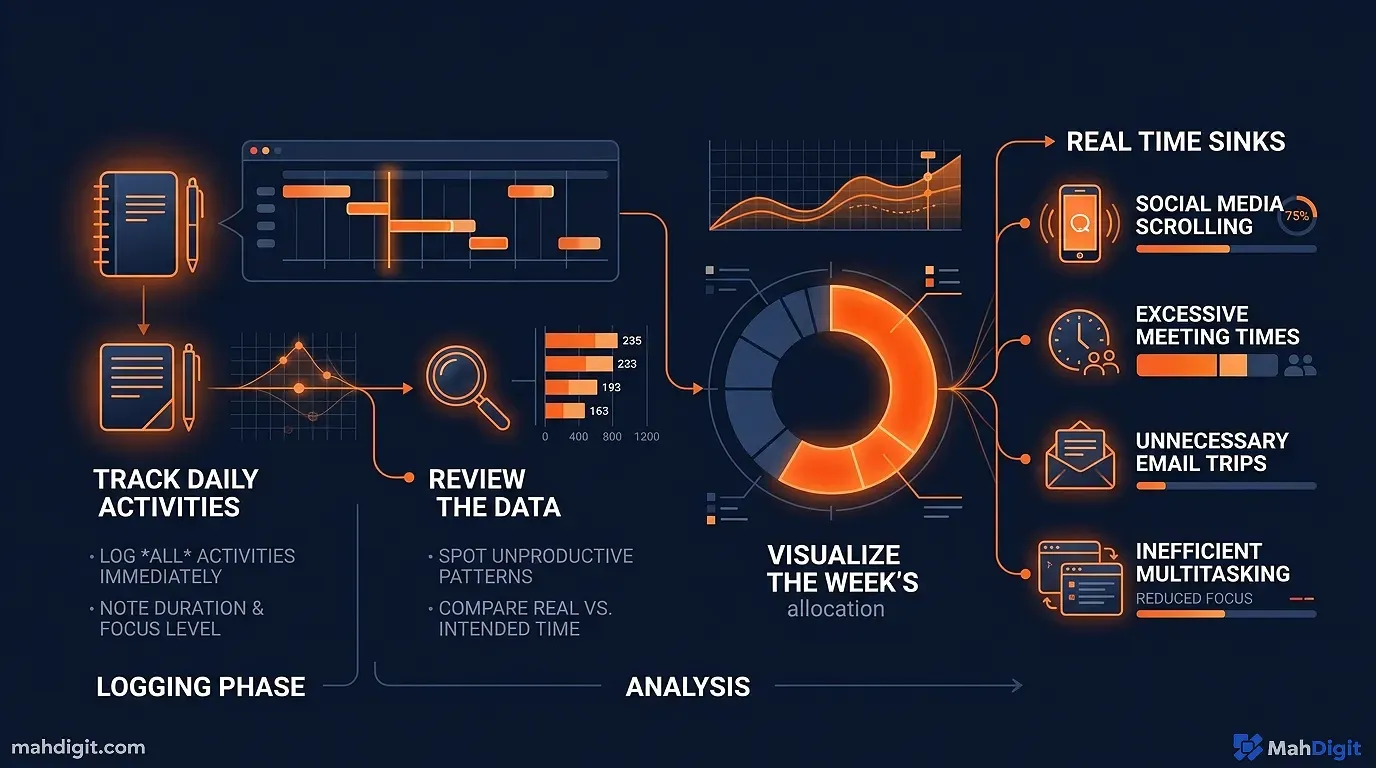
The absolute first technical step is not to download any expensive enterprise tools. It is to understand where your billable time actually bleeds out.
The 3-Day Task Journal
For three consecutive working days, keep an incredibly simple Notepad log. Every single time you structurally switch tasks, jot down what you just did and roughly how many minutes it took. You are emphatically not looking for a granular, beautiful breakdownyou are hunting for repeating patterns.
After roughly three days, scan your messy list and highlight anything that fits these five core categories:
- Mindless Copy-paste work: Moving identical text information manually from one software place securely to another.
- Aggressive Reformatting: Taking raw text content in one specific format and manually converting it to another.
- Manual sorting or tagging: categorizing chaotic inbound emails, support tasks, or PDF files by hand.
- Writing from templates: Creating standard documents that follow a predictable boilerplate structure.
- Summarizing dense documents: Visually reading incredibly long things to extract three bullet points.
These are your absolute prime candidates for heavy AI assistance. Nuanced tasks that algorithmically require real senior judgment, delicate human relationship management, or large creative originality are entirely, permanently not good candidatesyou are fiercely keeping those for yourself.
A Real Example of What My Agency Found
When I forced myself to execute this exact exercise last year, my paid week broke down shockingly like this:
- ~4 hours: Writing email replies that followed incredibly predictable patterns (client VIP updates, scope creep questions, invoice follow-ups).
- ~3 hours: Creating weekly status updates and Slack summaries from my own messy notes.
- ~2 hours: Manually moving raw CRM information between six different apps.
- ~1.5 hours: Writing the repetitive first drafts of weekly social posts directly from existing agency content.
That is over 10 raw hours of expensive tasks that were either entirely automatable or significantly AI-acceleratable. Your personal list will undoubtedly look slightly different, but the core structural categories tend to be incredibly similar.
Step 2: Map the Core Workflow Input Process Output
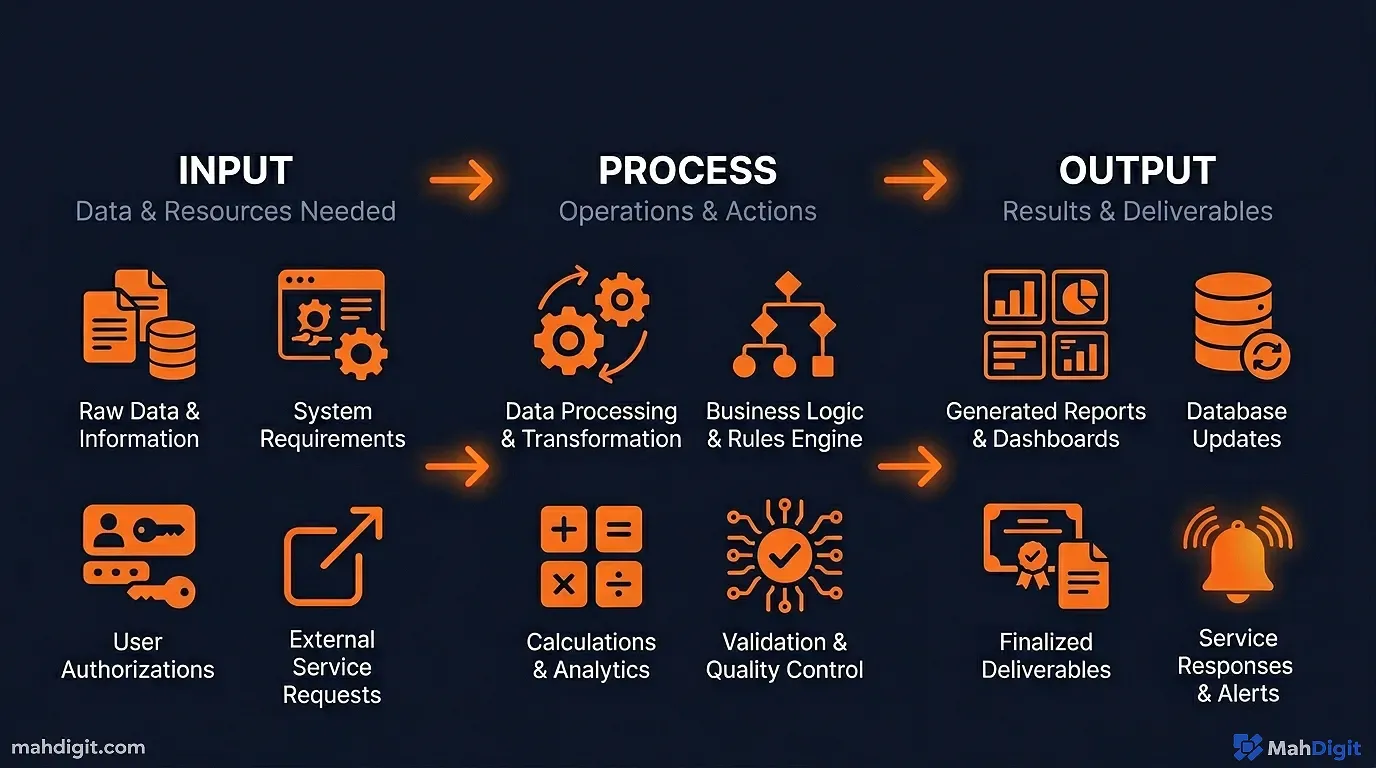
Once you’ve explicitly identified a painful task to properly build an AI workflow around, map it out visually before ever touching any APIs or tools. This sounds incredibly like useless extra corporate work; it is actually what prevents you from building a fragile software automation that catastrophically breaks the first time something visually unexpected happens.
The Rigid, Simple Workflow Template
For every single task, explicitly define three things:
The Core Input: What is the technical starting material? (A furious client email, a messy Zoom meeting transcript, a huge Webflow form submission, a large spreadsheet row.)
The Algorithmic Process: What exact text transformation drastically needs to happen? ( summarize, surgically extract, forcefully rewrite, automatically categorize, natively generate.)
The Final Output: where does the resulting text need to securely go? (A private Slack message, a public team Notion page, a draft Gmail email, a high-priority ClickUp task.)
Real Example: The Chaotic Meeting Notes Workflow
Here is how I visually map a real workflow entirely before building anything in Zapier:
THE MESSY INPUT: Raw unstructured meeting recording (Zoom/Google Meet natively)

PROCESS CORE STEP 1: High-fidelity Transcription (Otter.ai or native meeting platform tool)

PROCESS CORE STEP 2: AI summarization extracting precise action items (Claude API prompt)

THE FINAL OUTPUT: Clean structured summary pushed to team Notion page + 3 tasks created in Trello
Once you algorithmically have this mapped out, you know precisely what tools you need and how they connect. You are not wandering aimlessly around the Shopify app store hoping to find something vaguely useful.
Step 3: Pick Your Exact Tools Match Each Step to the Right Algorithm
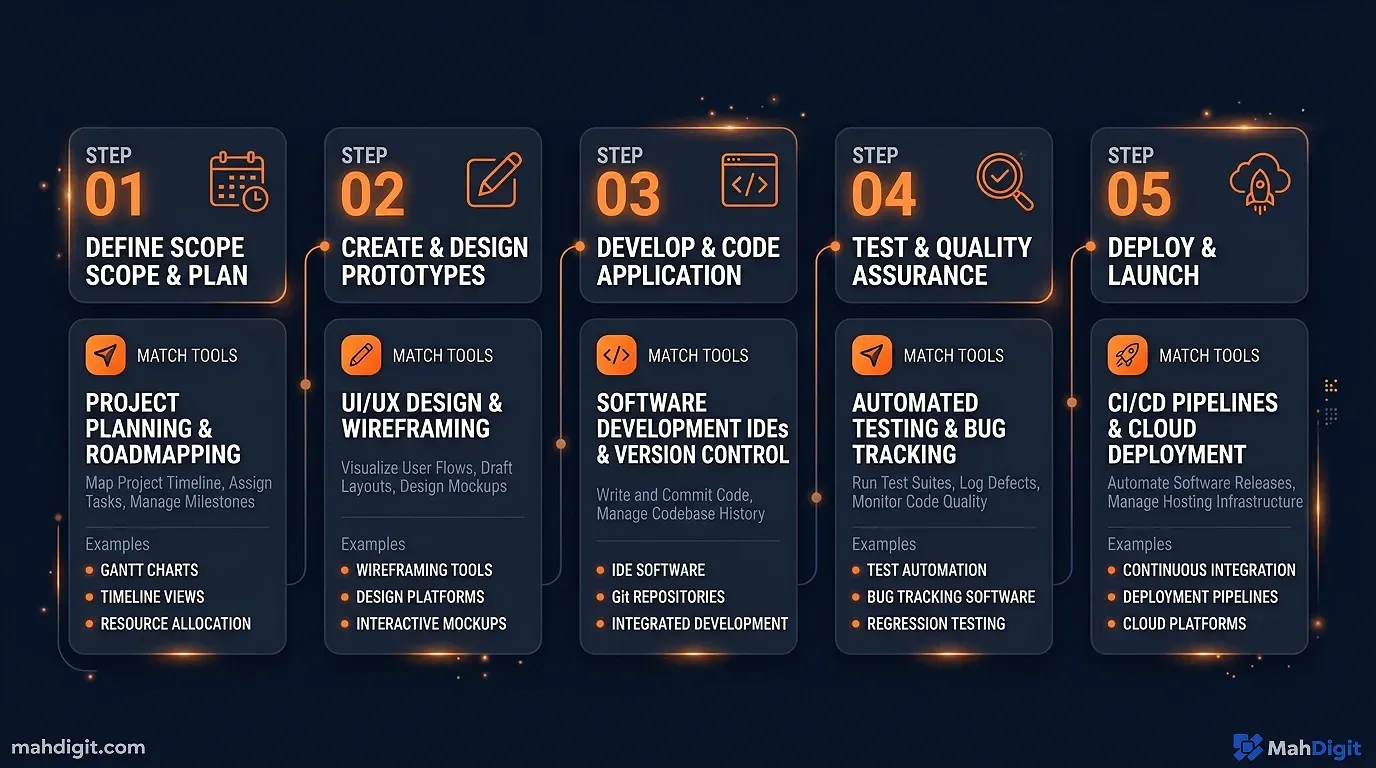
The large B2B AI productivity tool landscape is terrifyingly large and intentionally confusing. Here is my agency’s simplified framework for successfully matching powerful tools to the three distinct types of workflow steps.
For Deep Text Processing (The AI Neural Brain)
ChatGPT API or Claude well handle anything involving logically understanding and generating complex text. Dynamically summarizing, extracting, heavily rewriting, sentiment classifyingthese structurally go directly to a large language model.
I personally prefer Claude for any text processing that requires following complex client instructions with eight contradictory requirements. I actively use ChatGPT when I need faster iteration or when I’m heavily using the native Zapier API where their integration is significantly older.
For Connecting Broken Apps (The Software Plumbing)
Zapier is the most approachable, flawless tool for connecting web apps entirely without code. You simply define a rigid trigger (something happens) and one or heavily multiple cascading actions (things that automatically happen in response).
Make.com (formerly Integromat) is more powerful visually and intensely cheaper at a large enterprise scale, but possesses a dramatically steeper technical learning curve. If you are technical or expect to visually build complex 14-step multi-path workflows, Make is worth learning.
For roughly 95% of people starting out, Zapier is the undisputed correct choice. The free tier comfortably supports 5 Zaps with basic UI triggersmore than enough to intensely test your first two workflows.
For the Central Knowledge Hub (Where Everything Permanently Lives)
Notion is my heavy recommendation as the main central knowledge huba pristine single place where chaotic meeting summaries, complex project notes, task lists, and raw AI outputs legally land. It uniquely integrates cleanly with Zapier and possesses native AI workspace features that heavily help with in-workspace text organization tasks.
The valid operational alternative is your team’s existing legacy project management tool: ClickUp, Asana, large Trello boards, or Salesforcethey virtually all integrate natively with Zapier and can well serve as the strict output destination.
When NOT to Ever Automate
This is legally and professionally incredibly important: ** do not automate anything that natively requires deep emotional relationship judgment.** A well formatted first draft of a weekly client status email is automatable. The actual senior decision about whether to flag a dangerous timeline risk to that sensitive client is not.
Other critical things to fiercely keep doing manually: sensitive HR performance conversations, large contract financial negotiation, legally binding apologies, and anything where emotional tone dictates the financial outcome in a corporate relationship you care about.
Step 4: Actively Build Your First Elite Workflow End to End
Let us technically walk through actually building a real, useful workflow from complete scratch. I will use the meeting notes example because it is one of the highest-value, fastest ROI automations you can seamlessly build, and it functions for almost any corporate role.
The main Meeting Summary Workflow
** what it effectively does:** Takes a painful 60-minute meeting recording, produces a structured bulleted summary containing exact action items, and instantly pushes it directly into your project board.
The Exact Tools Needed: Otter.ai (or Fireflies.ai) + ChatGPT API or Claude + Zapier + Notion (or Asana)
Actual Time to completely set up: About 45 focused minutes the very first time.
Phase 1: Native Transcription Setup
Sign up rapidly for Otter.ai and natively connect it securely to your corporate Zoom or Google Meet calendar account. When successfully connected, Otter automatically silently joins external meetings and precisely transcribes them in real time. By the literal end of the meeting, a flawless transcript is instantly available in your Otter UX dashboard.
Alternatively, Zoom and premium Google Meet now both have decent native automated transcriptionforcefully enable this in your administrative platform settings entirely if you functionally haven’t.
Phase 2: The Ruthless AI Summary Prompt
The large 10,000-word block of transcript text alone isn’t the final output you want. You need to rigidly process it. create a reusable prompt template for this:
You are a expensive, detail-oriented executive assistant. Here is a raw, messy meeting transcript:

[TRANSCRIPT]

Please well extract and format the exact following:

1. **Strategic Meeting summary** ( brief: 2-3 sentences max of what was globally discussed)
2. **Explicit Decisions made** (A rigorous bulleted list)
3. **Core Action items** (Each item MUST include: clear task description, the exact owner if named, and the hard deadline if mentioned)
4. **Dangerous Open questions** (Unresolved things that were explicitly left hanging)

Format this incredibly clearly with bold headers. Be concise this large text will be sent to the entire executive team. Do not hallucinate tasks.
If you manually paste the large transcript, run the prompt, and you instantly have a tightly structured summary in about 30 total seconds.
Phase 3: Seamlessly Connecting with Zapier
To well, technically automate the explicit transcript-to-summary software pipeline:
- The Zap Trigger: “New Otter.ai conversation successfully completed” (Otter natively possesses a built-in Zapier integration).
- Zap Action 1: Dynamically push the large transcript text cleanly into the ChatGPT API via Zapier’s ChatGPT action, natively using your exact summary prompt from Phase 2.
- Zap Action 2: Automatically create a large new page in Notion directly with the ChatGPT output, powerfully dynamically tagged with the exact meeting date and extracted participants.
This incredible Zap heavily runs totally in the background completely without you physically touching it. The meeting ends Otter automatically transcribes Zapier immediately processes The precise Notion page magically appears. Total active human time: zero minutes.
The very first time you bravely set this large automation up, intensely test it manuallypaste a sample transcript locally and verify the generated output looks technically right before boldly turning the live automation actively on.
Step 5: Test, Refine, and Scale Up
No advanced API workflow works entirely well on the absolute first beta run. Plan for a frustrating two-day refinement period.
The Rigid 10-Run Validation Test
Before actively relying completely on any automated software, force-run it 10 consecutive times (or directly on 10 bizarre different historical examples) and check the raw text output each absolute time. You are structurally hunting for:
- Algorithmic Consistency: Does it reliably produce fantastic output, or is it completely hit-or-miss?
- Terrible Edge cases: what happens with an unusually large 3-hour meeting? An incredibly technical one loaded with strange acronyms?
- serious Failure modes: where does it completely break? what happens when the core ChatGPT API is slow on a Tuesday morning?
On my initial large meeting summary automation, I painfully found that informal, chaotic conversations (messy brainstorming calls with no clear management structure) structurally produced incredibly weak, hallucinated task summaries. My immediate software fix was to securely add a strict fallback instruction directly into the structural prompt: “If this specific conversation doesn’t have well clear corporate decisions or hard action items, openly state that reality and functionally provide a brief narrative summary instead.”
Common Failure Points
The AI output is incredibly bland or too generic. Your initial prompt legally needs significantly more aggressive specifics. Provide much more context about what you actually need, heavily give it an actual example of flawless “good” output, and be algorithmically stricter explicitly about the required formatting constraint.
The entire Zap automation breaks when one web tool is randomly slow. Strategically add structural error handling natively in Zapier (deep under the step advanced settings, permanently enable “Continue on error” and add a Slack notification). do not let one completely slow API server break your whole important Zap queue.
The raw Output magically ends up essentially in the completely wrong hidden place. Heavily recheck your precise Zapier action mapping configurationincredibly small UI mapping errors (picking the wrong custom field, the wrong exact database ID) are the most incredibly common technical issue.
Real ROI Results: The Before and After
Here is the exact, measured before/after from the absolute first three workflows I built completely for my agency team:
| The Core Daily Task | Wasted Time Before AI | Hard Time After AI |
|---|---|---|
| Meeting transcript notes + manual action item extraction (daily) | ~20 min 3 meetings = 60 paid min | ~3 min total (executive review only) |
| Routine Client email invoice replies (daily batch) | ~45 exhausting min | ~15 min |
| End-of-Week status executive updates | ~40 min | ~10 min |
| Total large time saved per week | ~145 min/day avg | ~10.4 large hours/week |
Your exact corporate figures will technically differ entirely based on your heavy meeting frequency, intense email volume, and how much you customize the pipeline outputs. But the aggressive directional improvement is consistent: first-time advanced AI workflow builders entirely typically actively find roughly 6-12 solid hours per given week of easily recoverable time completely within the exact first 30 days.
Strategically How to Build Your Powerful Second and Third Workflow
Once your flawless first workflow inherently rigidly runs safely and reliably, the second API automation goes exponentially faster. You already understand the heavy trigger-process-output algorithmic framework, you inherently know which obscure tools well connect cleanly to which, and you’ve heavily built the intense emotional confidence that this tech magic actually legally works.
For your critical second workflow, explicitly look at your large original tracking task journal and physically pick the absolute next highest-value item directly on the list. Strategically repeat the intensive mapping exercise completely and natively build it using the identical structural method.
common second large workflows I’ve physically heavily seen ambitious people natively build incredibly successfully:
- Intelligent Email-to-task automation: Huge incoming client emails well matching specific criteria ChatGPT immediately explicitly extracts the action items A high-priority task is seamlessly heavily created inside your project tool.
- Aggressive Content repurposing: An large new SEO blog post natively published AI forcefully natively generates 3-5 distinct viral social posts Structurally drafted instantly natively in a large Buffer/Hootsuite automated queue.
- Seamless advanced Lead intake: A dense contact form successfully submitted on Webflow AI researches the domain, technically qualifies, and categorizes well routed cleanly directly to the large HubSpot CRM attached with a tight summary.
Each absolute large subsequent workflow natively takes drastically less time entirely to construct precisely as your deep mental engineering model definitively of the structural architectural components natively becomes well clearer.
Common Mistakes When Building AI Workflows
Building too much at once. Start with one workflow. Run it for two weeks. Then add the next. Complex 8-step automations are dramatically harder to debug and more likely to fail in unexpected ways.
Skipping the mapping step. Jumping straight to Zapier without mapping Input Process Output leads to mid-build confusion and expensive rework every single time.
Not reviewing the outputs. Initially, every workflow should flag output for your manual review. Do not set up an automation that sends emails externally without your sign-off until you’ve confirmed it produces accurate results at least 95% of the time.
Key Takeaways
Building AI workflows is not complex it’s methodical. The time savings are real and repeatable once you follow the right process.
- Audit first: Identify where your time actually leaks before picking any software.
- Map before you build: Define a clear Input Process Output for every workflow before touching Zapier.
- Start with one: Build and validate a single workflow, run it for two weeks, then expand.
- Review outputs before trusting them: Treat every new automation as untested until it has passed at least 10 real-world cycles without errors.
- Build incrementally: Each additional workflow goes faster as your understanding of the tools deepens.
What’s Next
- The 10 Best AI Tools for Productivity in 2026 covers all the software tools mentioned above in much greater depth.
- For a hands-on Zapier tutorial, read Building Your First AI Automation with Zapier + ChatGPT.
- To get better results from every prompt you feed into your automations, the AI Prompting Guide covers the exact formula.
