A few years ago, starting a YouTube channel meant spending $2,000 on a mirrorless camera, agonizing over lighting setups, and spending 14 hours buried in Premiere Pro just to cut out your own stuttering. I know this because I did it. I burned myself out creating content that barely paid enough to cover my monthly coffee budget.
I clearly remember a specific Tuesday in 2024. I had spent an entire weekend filming a 20-minute vlog about my home office setup. It involved multiple camera angles, precision lighting, and grueling color grading. It netted $3.45 in AdSense revenue over its first month. That same Tuesday, an experimental faceless channel I had spun up using rudimentary text-to-speech tools generated an 8-minute technical screencast about spreadsheet formulas. I spent 45 minutes on it. It made $52 that day alone. That was the exact moment I realized my time was the main bottleneck.
By 2026, the entire creation paradigm flipped upside down. I no longer sit in front of a camera. I do not edit timelines manually. Instead, I manage a fleet of “faceless” channels operating in high-RPM (Revenue Per Mille) niches, entirely driven by AI video agents. These agents research, write, narrate, and edit the videos while I sleep.
However, I am not talking about the spammy, robotic “Reddit Story” channels of 2023. YouTube demonetizes those channels today. I am talking about building genuinely helpful, high-production-value content using a carefully orchestrated stack of AI tools.
If you want to understand how to build an audience and generate serious ad revenue without ever showing your face, this is the exact blueprint I use to orchestrate my AI video agents.
The Economics of High-RPM YouTube Niches
Before we build the agent, we need to understand the math. To make money on YouTube, you participate in the YouTube Partner Program, which splits ad revenue with creators. But not all views are created equal.
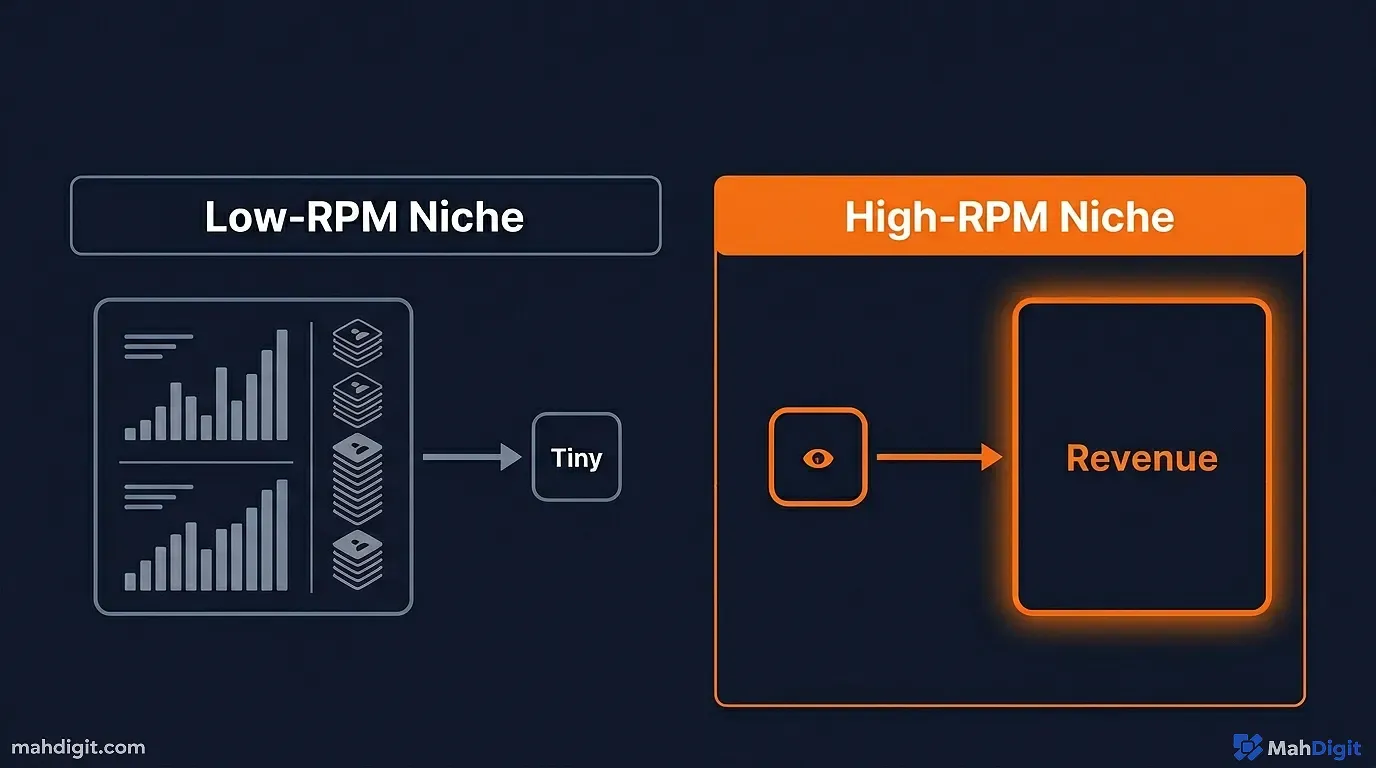
RPM dictates how much you get paid per 1,000 views. If you make a prank video, your RPM might be $1.50. You need a million views to make $1,500. It is a volume game, and it is exhausting.
If you make a video about “Evaluating B2B SaaS CRM Software,” your RPM might be $35.00. You only need 42,000 views to make that same $1,500.
Target Niches for 2026
You must program your AI agents to target niches where advertisers have large budgets and are desperate for leads.
- Financial Technology (FinTech): Reviews of new investing apps, crypto wallets, or accounting software.
- Enterprise AI Solutions: Breaking down how corporations use LLMs.
- Personal Productivity Software: Deep dives into Notion, ClickUp, or Obsidian workflows.
- Web Hosting and Cloud Architecture: Comparing AWS, Azure, and Google Cloud setups.
My personal favorite playground is automation itself. I recommend reading my No-Code AI Automation Guide to understand how lucrative this specific niche is.
The Direct Sponsorship Multiplier
Here is something most creators overlook: High-RPM niches do not just pay better in AdSense; they attract direct sponsorships significantly faster.
When you run a gaming channel, a sponsor might want a minimum of 100,000 subscribers before they even return your email. They are looking to sell $15 headsets to teenagers. But when you run a specific channel reviewing enterprise server hardware, a software company selling a $5,000-per-seat license will sponsor you when you only have 2,000 subscribers. They know who is watching. Your audience is composed of decision-makers with company credit cards.
I secured a $1,200 channel integration deal on a faceless automation channel when it only had 3,500 subscribers. The sponsor did not care about my total view count. They cared that my audience well matched their target demographic.
The “Free AI Video Agent” Stack
In 2024, we used isolated AI tools. We used ChatGPT to write a script, copied it to Murf.ai for a voiceover, copied that to CapCut, and manually searched for B-roll. It was still a manual process, just a faster one.
In 2026, we use Agents. An agent is a system that strings these tools together autonomously. Think of an agent like a general contractor building a house. You tell the contractor you want a three-bedroom ranch, and the contractor hires the plumbers (scriptwriters), electricians (voice generators), and roofers (video editors) without you having to manage them individually.
For those familiar with coding, I dive deep into how these specific models communicate in my AI Tools for Developers guide. But for this workflow, we are leveraging no-code, drag-and-drop systems.
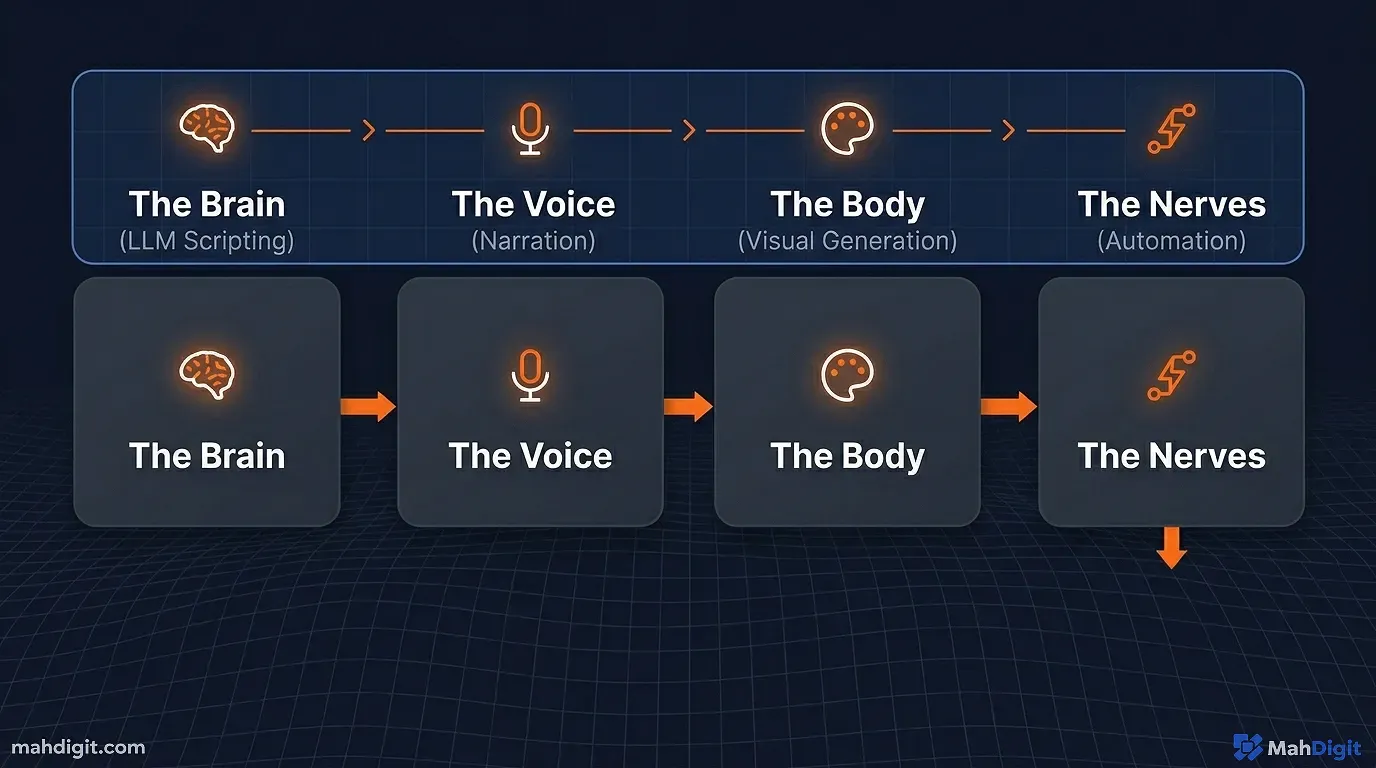
Here is the core stack:
- The Brain (Ideation & Scripting): Local LLMs (like Llama 3) or free tiers of Claude/ChatGPT.
- The Voice (Narration): ElevenLabs (free tier) or open-source local voice cloning like Coqui TTS if you have the compute power.
- The Body (Visuals): CapCut (which has astonishing built-in AI tools now) or Runway ML free credits for generating specific motion elements.
- The Nerves (The Connector): n8n or Zapier to trigger the handoffs between tools.
Step 1: Automated Ideation and Scripting
We start by building the first step of our agent workflow. I use a platform like n8n to set up a scheduled trigger. Every Monday at 9 AM, the agent wakes up and checks an RSS feed of top tech blogs.
It identifies a trending topic in our high-RPM niche. Let’s say it finds “The Rise of Local AI Models.”
The agent then passes that topic into an LLM using a restrictive prompt.
The Master Script Prompt
If you just ask an AI to “write a YouTube script,” you will get a boring, factual essay. The retention rate will be zero. You have to prompt for the medium of video.
Agent Prompt Template:
You are an elite YouTube scriptwriter specializing in high-retention technical content. Output a 1,500-word script about [Topic].

CRITICAL RULES:
1. Use a two-column format: Column A is [VISUAL CUES], Column B is [AUDIO/NARRATION].
2. The first 15 seconds must be a 'Hook' that outlines the main payoff of the video. Do not introduce yourself. Start immediately with the action.
3. Write in short, conversational sentences. Use analogies to explain complex technical concepts.
4. Include a 'B-Roll Change' cue at least every 6 seconds to maintain visual pacing.
5. End with a strong Call to Action (CTA) asking the viewer to subscribe for more tutorials on [Micro-Niche].
The agent generates this formatted script and saves it to a Google Doc automatically.
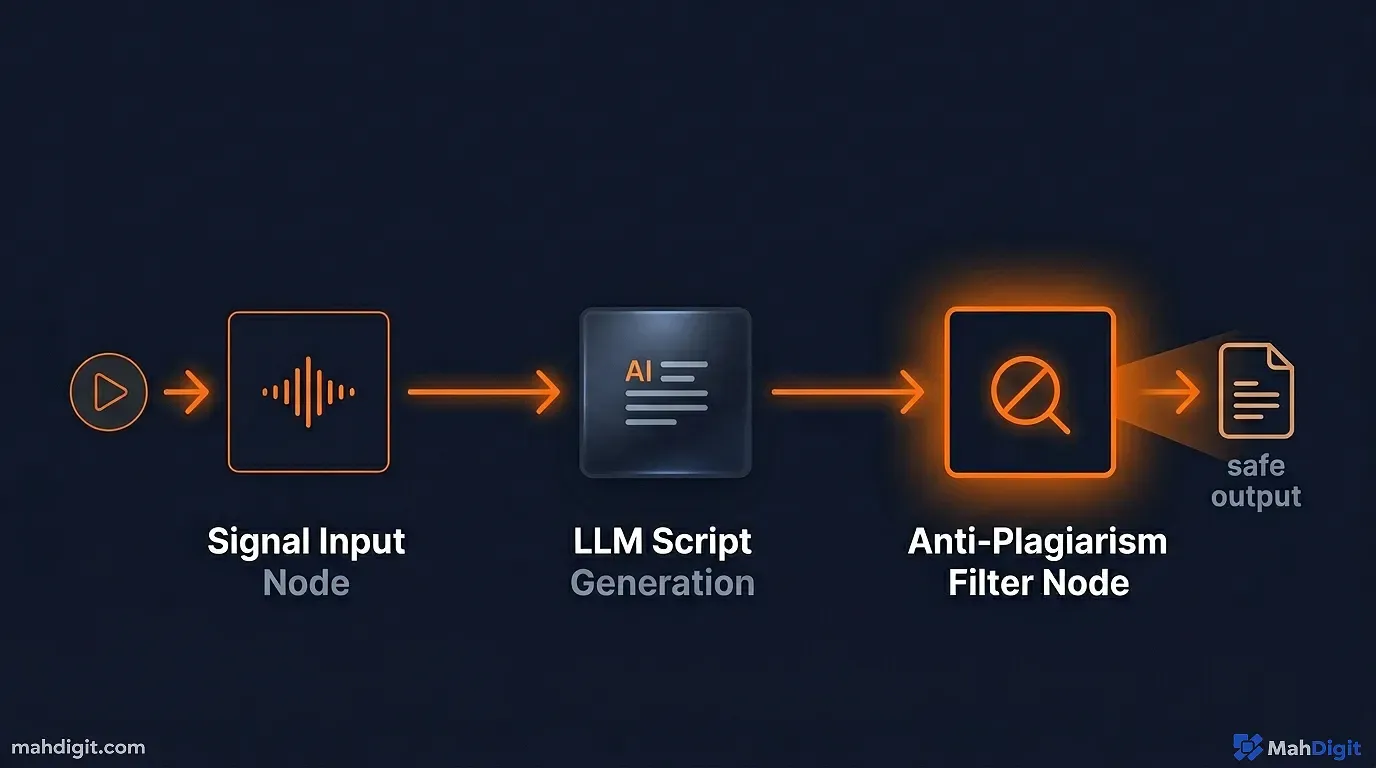
The Built-In Plagiarism Check
One large danger of pulling topics from RSS feeds is that the AI might inadvertently plagiarize the source article’s structure or wording. This is a fast track to getting a copyright strike and losing your channel entirely.
To prevent this, I insert a mandatory verification node in my n8n flow. After the script is drafted, the agent sends it to a secondary, independent LLM model specifically instructed to analyze the script against the original source text.
The prompt is simple: “Compare Document A (The Draft) to Document B (The Source). If any sentence in Document A is more than a 60% semantic match to Document B, rewrite that sentence entirely using a different analogy and sentence structure.” This ensures my videos remain distinct, original works of commentary rather than cheap recaps. I discuss similar safety redundancies in my general overview of What Is AI Explained.
Step 2: Voiceover Generation (The Voice)
Once the Google Doc is populated, our n8n agent detects the new file. It rips the text from the [AUDIO/NARRATION] column and sends it via API to a voice generation tool.
I do not use the robotic “TikTok voice.” Viewers in high-RPM niches (like software engineers or financial advisors) will immediately click away if they hear that text-to-speech cadence. I use hyper-realistic models that include breaths, slight pauses, and intonation shifts.
The agent waits for the audio file to generate, downloads the .mp3, and drops it into a designated Google Drive folder.
If you are unfamiliar with hooking these APIs together, I break down the entire integration process in Automate Social Media with AI. While that guide focuses on Twitter and LinkedIn, the exact same webhook principles apply to uploading video assets automatically.
Step 3: Visual Generation and Assembly
This is where the magic of 2026 video production shines. We no longer have to spend hours scrubbing through stock footage libraries playing keyword roulette.
Our agent takes the [VISUAL CUES] column from our generated script. It identifies keywords. For a cue that says [VISUAL CUE: Abstract visualization of data passing through a neural network in neon blue], the agent sends that exact prompt to an AI image or video generator like Midjourney or a free Runway ML tier.
Prompting for Dynamic B-Roll
Generating text is different from generating video elements. You cannot be vague. If your script calls for a visual representation of “slow server speeds,” an AI video generator will likely output garbage if you prompt it literalistically.
I have programmed my agent to expand simple visual cues into detailed cinematography prompts before sending them to the image/video generators.
If my script cue is: [VISUAL: User frustrated at a computer]
My agent expands it to: [PROMPT: Cinematic, over-the-shoulder shot, shallow depth of field, an exhausted programmer staring at a glowing monitor displaying endless lines of red error code, dark room lit by screen glow, 4k, photorealistic --ar 16:9]
By enforcing this structure, the generated assets actually look professional instead of like bizarre, melting AI artifacts.
The Assembly Phase
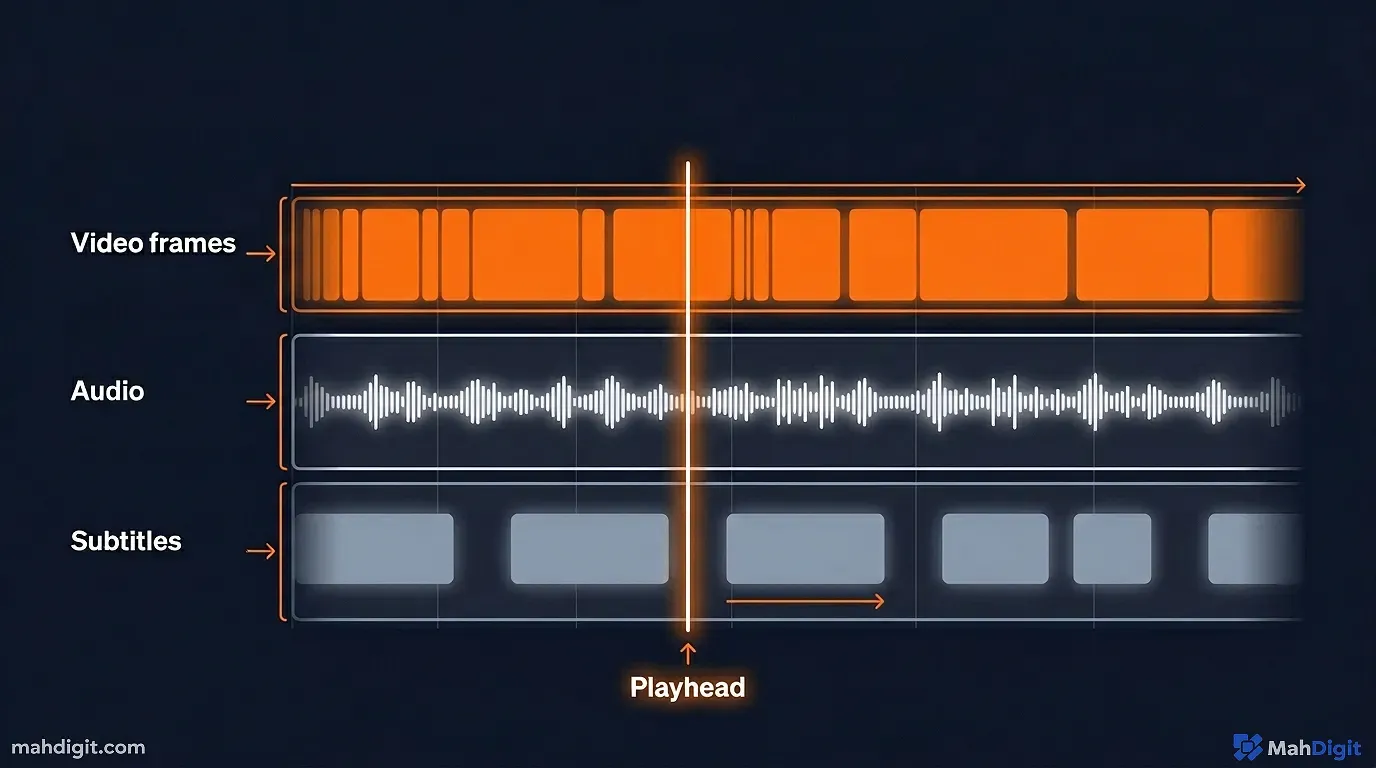
Currently, fully autonomous assembly of the final edit is still slightly clunky if you want top-tier quality. My agent compiles the voiceover track, the generated B-roll, and the transcript file, dropping them all into a single CapCut project using their cloud collaboration platform.
From there, I open CapCut. I run their “Auto-Caption” tool to generate dynamic subtitles, drag the B-roll over the audio track based on the script’s timing cues, and add basic transitions.
Because the agent did the heavy lifting of gathering and generating the assets, a video edit that used to take me 6 hours now takes me 15 minutes.
Manual vs. Agent Production: A Reality Check
To understand why this is so lucrative, look at the math of human time versus agent execution.
| Production Phase | Human Creator Time | AI Agent Time | My Involvement |
|---|---|---|---|
| Topic Research | 2 Hours | 2 Minutes | 0% |
| Scriptwriting | 4 Hours | 30 Seconds | 10% (Reviewing the hook) |
| Voiceover | 1 Hour (Recording/Editing) | 3 Minutes | 0% |
| Asset Gathering | 3 Hours | 5 Minutes | 0% |
| Final Edit Assembly | 5 Hours | 15 Minutes | 100% |
| TOTAL TIME | 15 Hours | ~25 Minutes | ~20 Minutes |
By weaponizing AI video agents, my bottleneck is no longer production time. I can produce a high-quality, high-RPM video every single day if I choose to, spending less time than I do eating lunch.
The “Human Oversight” Rule (Limitations)
This sounds like a utopian money-printing machine. It is not. You will fail spectacularly if you attempt to remove yourself from the process entirely.
YouTube’s algorithm specifically targets channels that produce “Repetitious Content” or “Reused Content.” If you set up an agent to scrape competitor videos, rewrite them slightly, generate a generic voiceover, and slap stock footage on top, you will never get monetized.
Automation platforms like n8n are brilliant at moving data, but they cannot assess “vibe” or true educational value.
Where You Must Intervene
- The Concept Audit: Never let the agent execute on a topic without your approval. If it suggests a video on “What is a stock?”, delete it. Force it to write “Why Options Trading Destroyed My Portfolio in 2023.” You must mandate the angle.
- The Hook Review: The first 15 seconds dictate 80% of the video’s success. I always rewrite the agent’s generated hook. I make it punchier, more aggressive, or more controversial. I once let an agent publish a hook that started with “Today we are going to explore the features of AWS.” The video died at 44 views. I rewrote the hook to say, “AWS is actively robbing your startup blind, and here is how to stop it.” That version broke 14,000 views in a week. Human psychology requires tension.
- The Editing Polish: An agent cannot pace a video. It does not understand comedic timing or dramatic pauses. When I do the final 15-minute assembly in CapCut, I am heavily focused on the pacing of the visual changes and ensuring the music swells at the exact right moment. If a technical explanation goes on too long, I will manually chop it down. I refuse to publish a video that I personally find boring to watch.
Key Takeaways
Scaling YouTube revenue in 2026 relies on combining high-value niches with ruthless operational efficiency. Building an AI video agent allows you to compete with large media companies from your laptop.
- RPM dictates your strategy. Stop making entertainment videos. Focus on high-value B2B, finance, or technical domains where advertisers pay a premium.
- Build agents, not toolchains. Use automation platforms to connect LLMs, voice generators, and visual AI so they hand off tasks autonomously.
- Format scripts for retention. Force your text generation AI to think in two columns: audio narration and precise visual cues to keep the viewer engaged.
- Ditch the robotic voices. Invest in (or utilize the free tiers of) hyper-realistic voice cloning models. Viewers immediately reject cheap text-to-speech.
- Never fully automate. The agent is your production crew. You remain the director. You must intervene on the video concept, the critical hook, and the final editing polish.
- Quantity builds the machine, quality secures the monetization. You can produce rapidly using this method, but if you do not inject human oversight, YouTube will flag you for repetitious content.
- Embrace high-leverage bottlenecks. If you are going to spend 20 minutes manually touching an automated video, spend 15 of those minutes perfecting the thumbnail and the first hook. That is where all your revenue is won or lost.
Do not be intimidated by the concept of building an agent workflow. Start small. Automate just the script generation first. Then automate the voiceover handoff. Before long, you will have a digital factory running in the background, allowing you to focus entirely on strategy and growth. The barrier to entry has never been lower, but the barrier to excellence remains high. If you can combine the raw speed of these AI tools with a critical, human eye for pacing and storytelling, you will not just compete in 2026 you will dominate. Ready to go deeper? Check out my guides on building an AI workflow and no-code AI automation.
