
I switched from ChatGPT to Claude as my primary writing tool about six months ago. I want to be precise about what that means: I still use ChatGPT almost every day but for anything where the quality of the output really matters, Claude is now my first stop.
This review is based on four months of serious daily use across writing, research analysis, coding tasks, and long-document work. I’ve run the same prompts through both Claude and ChatGPT to compare, and I have clear findings on where each wins.
What Is Claude?

Claude is Anthropic’s AI assistant, positioned as a safety-focused, high-quality alternative to ChatGPT. The current flagship model Claude 3.5 Sonnet is what most people will use, and it’s what this review is based on.
Anthropic’s approach to AI prioritizes being “helpful, harmless, and honest” their constitutional AI methodology is designed around these goals. In practice, this means Claude is somewhat more cautious with edge-case requests, but also more reliable when instructions conflict or context is ambiguous.
Available at claude.ai. Free tier uses Claude 3.5 Haiku; Claude Pro ($20/month) gives access to Claude 3.5 Sonnet with higher rate limits.
Where Claude 3.5 Sonnet Genuinely Wins
Long-Form Writing Quality
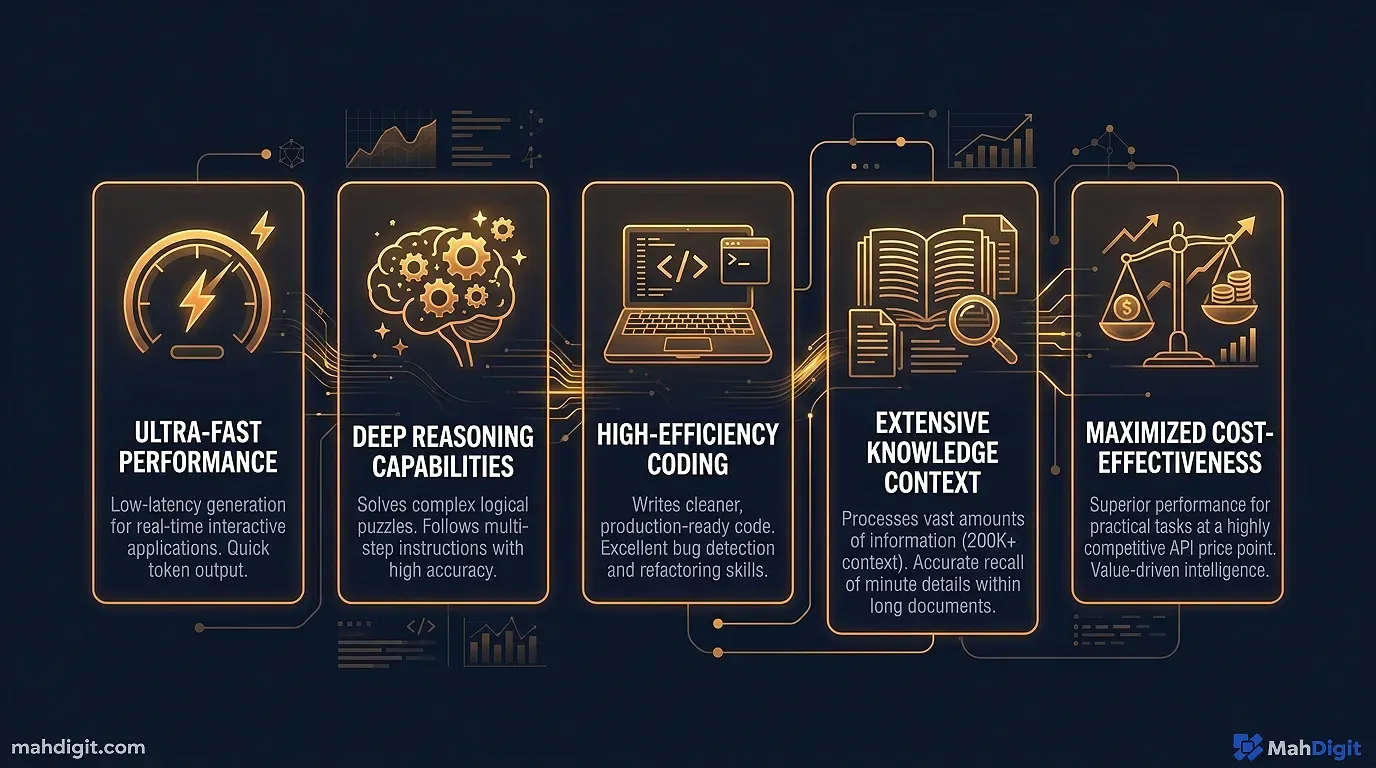
This is the clearest, most consistent advantage I’ve found. When I write a blog post, client proposal, or detailed report in Claude, it requires fewer revision passes than an equivalent ChatGPT output.
The difference isn’t dramatic on short pieces. On 1,500+ word articles, it becomes significant: Claude maintains argument structure better across a long piece, the transitions are more natural, and it’s less likely to repeat a point in slightly different words something ChatGPT does frequently in long outputs.
I’ve run the same blog brief through both tools and then edited each to final. The ChatGPT version consistently needed 30-40% more editing time.
Following Complex Instructions
Give Claude a prompt with six specific requirements and it hits all six. Give the same prompt to ChatGPT and it often hits five, quietly dropping one.
I tested this systematically over a month. For prompts with 3 or fewer constraints, both tools performed similarly. For prompts with 5+ constraints, Claude was noticeably more reliable at honoring all of them simultaneously.
This matters for practical use: when you’re generating content for specific formats with exact word counts, structure requirements, tone guidelines, and topic constraints all in the same prompt Claude is the more trustworthy tool.
Nuanced Analysis
For tasks that require reading between the lines evaluating the strength of an argument, identifying assumptions in a document, noticing what’s absent as well as what’s present Claude consistently produces more insightful analysis.
I’ve used this for reading financial reports, evaluating research papers, and reviewing draft strategies. Claude tends to catch things ChatGPT misses: the implicit assumption in an argument, the gap between what’s claimed and what’s supported.
Large Context Window (200K Tokens)
You can paste an entire book, a full codebase, or a large report into Claude and it’ll actually process all of it coherently. 200K tokens is enormous for most practical purposes, it’s unlimited.
ChatGPT has a 128K token context window still large, but noticeably smaller. In my testing, for very long documents (50+ pages), Claude processes the full text more reliably without losing coherence in the second half.
Where Claude Falls Short
No Real-Time Web Access (By Default)
Claude’s knowledge has a training cutoff. For questions about recent events, current pricing, or newly released products, Claude either says it doesn’t know or sometimes generates plausible-but-outdated information. For live research, I use Perplexity (see our Perplexity AI review).
Some versions of Claude now have web search capability, but it’s not consistently available across all interfaces.
More Cautious on Some Requests
Claude occasionally refuses or adds significant caveats to requests that ChatGPT handles without comment. For fiction writing involving conflict, hypothetical scenarios, or anything with a dual-use dimension, ChatGPT is generally less restrictive.
This isn’t usually a problem for professional work, but it can be frustrating when you’re writing fiction or exploring hypothetical scenarios for legitimate purposes.
Ecosystem Integration Lag
ChatGPT has a more mature integration ecosystem more custom GPTs, more third-party tool integrations, more examples of people using it in specific workflows. Claude is catching up through the API and the Projects feature, but if you need to connect Claude to external tools via no-code platforms, Zapier’s ChatGPT integration is more developed than its Claude equivalent.
Claude vs. ChatGPT: Honest Side-by-Side
| Task | Winner | Notes |
|---|---|---|
| Long-form writing (1,000+ words) | Claude | Less editing required |
| Short writing (emails, captions) | Tie | Both good |
| Complex instruction following | Claude | More reliable on 5+ constraints |
| Brainstorming quantity | ChatGPT | More ideas, more variety |
| Real-time research | ChatGPT | Web browsing built-in |
| Code generation | Comparable | Both strong; Copilot better in-editor |
| Code explanation | Claude | Often clearer explanations |
| Nuanced analysis | Claude | Catches subtleties better |
| Image generation | ChatGPT | DALL-E integration |
| Integrations/ecosystem | ChatGPT | More mature third-party tooling |
| Handling long documents | Claude | 200K vs 128K context, and better coherence |
| Fun, casual conversations | ChatGPT | More playful personality |
The Claude Projects Feature
Claude Pro includes Projects a feature that lets you create persistent conversation contexts for specific work areas. You configure a project with instructions (your writing preferences, project context, style guide) and those instructions apply to every conversation within that project.
I use three Projects:
- Blog writing Configured with my style guide and preferences
- Client work Configured with specific project context and deliverable formats
- Learning Configured with instructions to teach rather than just answer
This is genuinely useful because you stop re-entering context with every new conversation. The instructions are always there. For recurring work with specific requirements, it’s one of the best features currently available in any AI writing tool.
Is Claude Pro Worth $20/Month?
The free tier (Claude 3.5 Haiku) is noticeably weaker than the Pro tier (Claude 3.5 Sonnet). The quality jump is bigger than the equivalent ChatGPT free Plus jump. If you decide Claude is worth paying for, the paid tier is where it actually shines.
Yes, pay for it if:
- Writing quality is central to your work (anything client-facing, published content)
- You regularly work with long documents (reports, contracts, research papers)
- Instruction-following precision matters in your prompts
- You want Projects for persistent context management
Probably not if:
- Your primary AI use is quick questions and brainstorming (ChatGPT is equally good here)
- You need real-time web access as a core feature
- You’re already paying for ChatGPT Plus and the tasks overlap significantly
The combination I recommend: Claude Pro for serious writing and analysis work; ChatGPT Plus for research, brainstorming, and anything requiring browsing or image generation. Yes, that’s $40/month for two tools. For people whose work centers on writing and information processing, it’s worth it. For everyone else, pick one.
Common Mistakes When Using Claude
Using it like ChatGPT. Claude responds particularly well to prompts that give it explicit structure role, context, format. Vague prompts produce decent output from Claude, but well-structured prompts produce significantly better output.
Not using Projects for recurring work. The single biggest time saver in Claude Pro is persistent context via Projects. If you’re not using it, you’re re-entering the same background information repeatedly.
Expecting it to handle current information. Claude can’t look things up. If your task requires current pricing, recent news, or newly released features, use Perplexity first and paste the relevant context into Claude.
Key Takeaways
Claude 3.5 Sonnet is the best AI writing tool I’ve used, for writing that requires sustained quality across length. It’s not the best at everything, but on the dimension that matters most for knowledge workers producing high-quality written output reliably it’s ahead.
- Best for: Long-form writing, complex instruction following, document analysis
- Not ideal for: Real-time research, casual creativity, image generation
- Free tier: Decent (Haiku), but Pro (Sonnet) is where the real value is
- Projects feature is underrated sets Claude apart for recurring professional work
- Honest verdict: Worth the $20/month for writing-heavy roles; otherwise evaluate against your specific use case
Related Articles
- 10 Best AI Tools for Productivity in 2026
- Best Free AI Tools in 2026: What You Actually Get
- How to Build an AI Workflow That Saves 10+ Hours a Week
What’s Next
- See how Claude stacks up across a head-to-head test in ChatGPT vs Claude vs Gemini: Which AI Should You Use?
- For using Claude in a full content workflow, see our AI for Content Creators guide
- Get better outputs from Claude immediately by reading the AI Prompting Guide the R-C-T-F structure works especially well with Claude
External Resources
- Anthropic’s Claude Model Overview official breakdown of Claude versions, capabilities, and pricing
