I cancelled a $100/year research tool subscription last year because Perplexity AI replaced what I was using it for. That’s the short version of this review.
The longer version: Perplexity is one of those tools where the initial demo looks impressive, the first few uses feel genuinely useful, and then you have to figure out where it actually fits in your workflow versus where the hype outpaces the reality. After months of daily use and plenty of moments where it got things wrong I have a clear picture.
This review is for people who want to know: does Perplexity actually change how you research, or is it just a faster-looking Google?
What Is Perplexity AI?
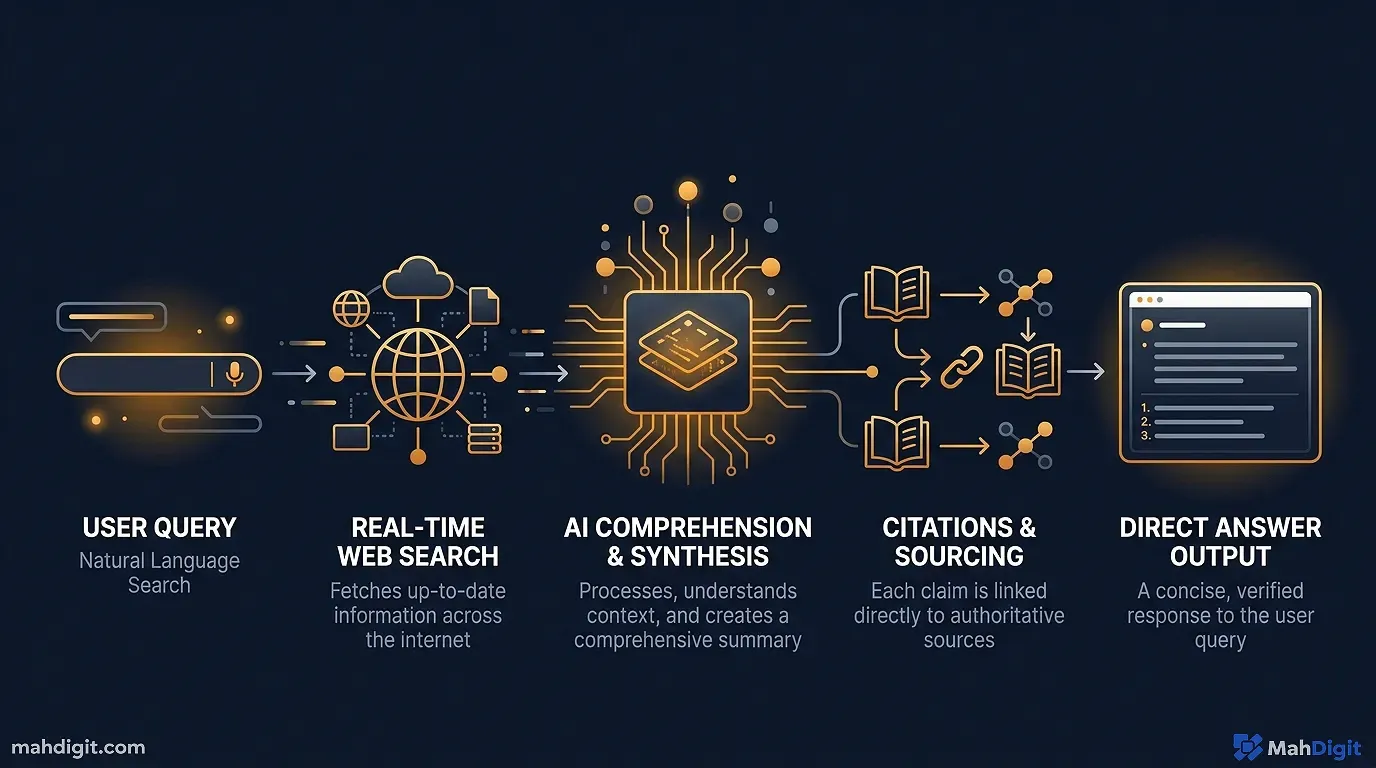
Perplexity is an AI-powered search engine that gives you cited answers instead of a list of links. You ask a question; it searches the web, synthesizes the key information, and returns a summary with inline citations and links to sources.
The core difference from ChatGPT or Claude: Perplexity is connected to the live web. It’s not answering from training data alone it’s actively retrieving current information. And critically, it tells you where the information came from, which makes it dramatically easier to verify.
It’s available at perplexity.ai the free tier is genuinely useful, and Pro ($20/month) unlocks more powerful models and advanced features.
Free vs. Pro: What You Actually Get
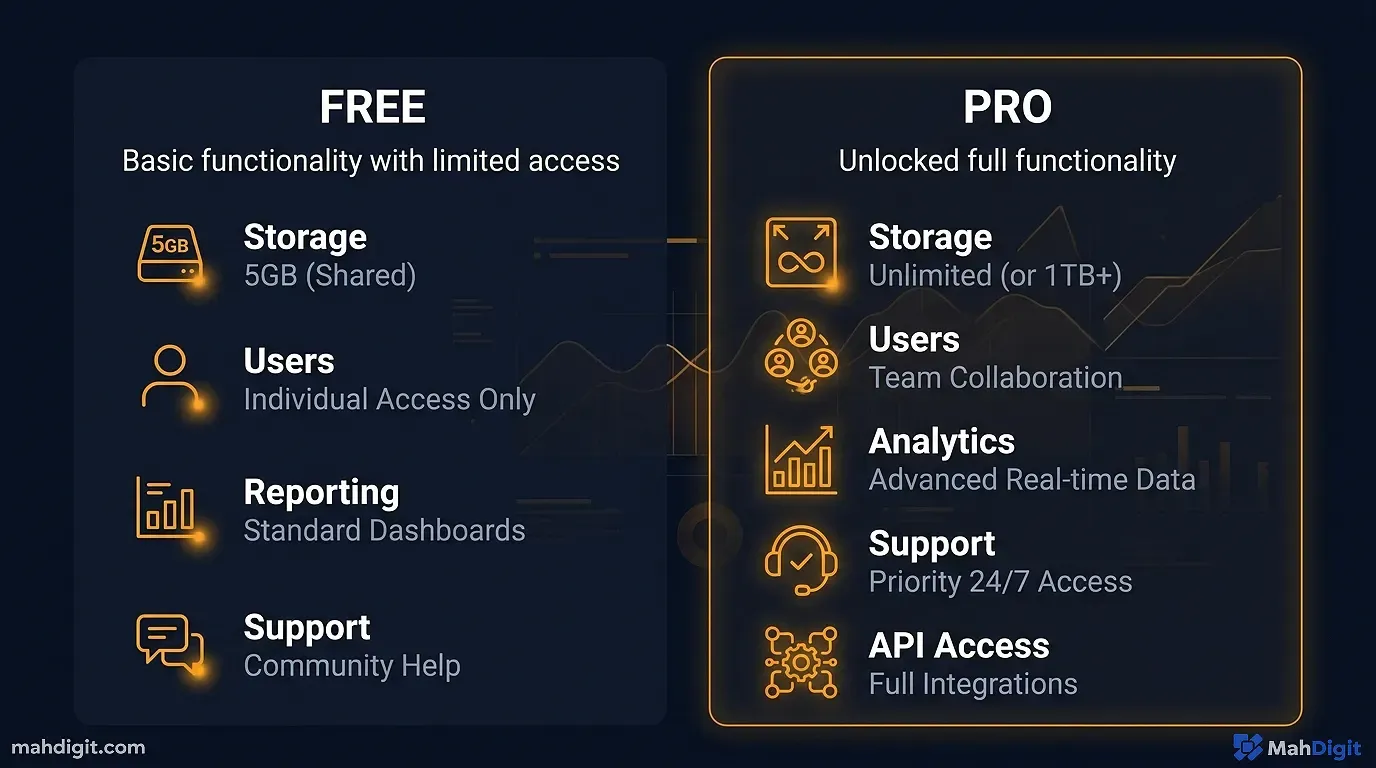
| Feature | Free | Pro ($20/month) |
|---|---|---|
| AI search (cited answers) | Yes | Yes |
| Daily searches | Unlimited | Unlimited |
| Follow-up questions | Yes | Yes |
| File uploads | No | Yes (PDFs, docs) |
| Advanced models (GPT-4, Claude 3.5) | No | Yes |
| Image generation | No | Yes |
| Dedicated “Spaces” for organized research | No | Yes |
| API access | No | Yes |
The honest assessment: the free tier is the tool for most people. The core Perplexity experience cited AI search is available for free with unlimited queries. You only need Pro if you want to upload files for analysis, access the more powerful models (like Claude or GPT-4 for deeper synthesis), or use the organizational Spaces feature.
I’ve been on Pro for about 8 months. The file upload feature has saved me real time I upload client PDFs and ask Perplexity to extract key information. But if you’re just using it for research queries, free is genuinely enough.
Best Use Cases (With Real Examples)
1. Fact-Checking AI Outputs
This is where Perplexity is most valuable in my day-to-day. When ChatGPT or Claude gives me a statistic, a pricing claim, or a specific technical detail, I run it through Perplexity.
Example: Claude confidently told me a particular SaaS tool cost $49/month per seat. I asked Perplexity “what does [tool name] cost in 2026?” and got the current pricing page as the first source it was actually $79/month. That’s a significant difference in a client proposal.
Perplexity’s source links mean you can click through and verify the information rather than just trusting the AI’s synthesis. That single feature is worth the tool existing.
2. Competitive Research
Instead of opening 12 tabs from a Google search, I ask Perplexity: “What are the main competitors for [product category] and what do customers typically complain about in this space?”
The output usually references review aggregators (G2, Capterra, Trustpilot) alongside product pages and industry publications. It’s not exhaustive, but it gives you a solid starting point in minutes instead of an hour.
One caveat: source quality varies. I’ve seen Perplexity cite a random Medium post alongside an official product page and treat them with equal confidence. Always check the sources, especially on anything you’ll act on.
3. Technical Documentation Lookups
When I need to understand something specific about an API, framework, or tool something where the official documentation might be the best source Perplexity usually surfaces it immediately and gives me the relevant excerpt.
Instead of searching docs.anthropic.com, navigating to the right section, and finding the specific parameter I need, I ask Perplexity and get the answer with a link directly to the relevant page. Time savings: real and consistent.
4. Current Events and Recent Developments
Since Perplexity searches live, it handles “what happened recently with [company/topic]?” questions well. I use it regularly to catch up on news in my industry before writing about it the summaries are usually accurate and the sources let me read deeper on anything interesting.
This is where the difference from ChatGPT is most obvious. Ask ChatGPT about something from last month and you might get an answer based on training data from before that happened. Ask Perplexity and it’ll usually find and cite recent articles.
5. Quick Learning on Unfamiliar Topics
Starting research on something you know nothing about is where Perplexity genuinely earns its place. “Explain the basics of [topic] and tell me the key debates or open questions in this area” gives you a calibrated overview with enough source links to go deeper.
I’ve used this for everything from unfamiliar legal concepts to understanding a new software architecture pattern. It’s not the same as reading a book on the subject, but for a working understanding in 10 minutes, it’s the best tool I’ve found.
Limitations And They’re Real
Source Quality Isn’t Curated
Perplexity pulls from whatever it finds. That can mean a Reddit thread alongside a peer-reviewed paper, treated with similar weight in the synthesis. For casual research, this is fine. For anything high-stakes medical, legal, financial, technical claims you’ll publish you need to actually click through and evaluate the sources yourself.
It Can’t Replace Deep Expertise
Perplexity is excellent at finding and synthesizing what’s publicly written about a topic. It cannot give you what isn’t publicly available proprietary research, expert opinions that haven’t been published, or nuanced professional judgment that requires years of experience.
Think of it as a very fast research assistant who’s read everything on the internet but has no original expertise. Great at finding and synthesizing; can’t analyze in ways that require genuine expertise.
Long-Form Writing Falls Short
Perplexity is a research and synthesis tool, not a writing tool. For generating long content blog posts, reports, proposals you want Claude or ChatGPT. Perplexity’s answer format is dense and citation-heavy, which makes it useful for research but not for producing readable content.
Occasional Source Errors
I’ve caught Perplexity citing sources that don’t say what it claims they say. Not frequently, but often enough that verification is important for anything you’ll use professionally. The tool is genuinely useful even with this caveat just don’t treat it as infallible.
Perplexity vs. Google vs. ChatGPT
| Perplexity | ChatGPT | ||
|---|---|---|---|
| Best for | Sourced answers, current info | Broad web search | Writing, analysis, creation |
| Citations | Yes Always | Link-based | R (usually) |
| Current events | Yes Live web | Yes Live web | Limited Training cutoff |
| Long-form tasks | No | No | Yes |
| Source quality control | Medium | High (PageRank) | N/A |
| Follow-up questions | Yes | Limited | Yes |
| Free tier | Yes Good | Yes Full | Yes Good |
The mental model I use: Google for finding specific pages or authoritative sources I know exist; Perplexity for answering questions where I don’t know where the information lives; ChatGPT/Claude for anything that requires creation, analysis, or synthesis beyond retrieval.
My Daily Perplexity Workflow
Here’s how I use it in practice:
Morning: Catch up on anything relevant in my industry “what’s new this week in [subject area]?” Perplexity gives a quick summary with links I can read deeper.
Research phase of any project: Start with Perplexity to orient myself on the topic, then go deeper with Claude or primary sources.
Fact-checking: Anytime I’m about to publish or send something with specific claims pricing, statistics, features I verify the key facts in Perplexity.
Competitive questions: Ongoing monitoring of tools and competitors in my space.
I don’t use it for writing, brainstorming, or analysis tasks. That’s different tools for different jobs, as we covered in our ChatGPT vs Claude vs Gemini comparison where the full research workflow is covered in context.
Is Perplexity Pro Worth $20/Month?
Straightforward answer: start with free and use it for a few weeks first.
Pro is worth it if:
- You regularly upload documents for analysis (PDFs, reports, research papers)
- You want access to more powerful models for deeper synthesis
- You’re doing research at volume and want the Spaces organizational feature
Pro is probably not worth it if:
- You use it occasionally for checking facts and catching up on news
- Your primary AI tools are already ChatGPT Plus or Claude Pro
- You’re budget-conscious and the free tier meets your needs
The free tier is legitimately useful. Most people I’ve introduced to Perplexity use the free version and get real value from it. Pro is an upgrade, not a requirement.
Common Mistakes When Using Perplexity
Taking the synthesis at face value. The tool is accurate a lot of the time, but not all the time. Click through to the cited sources for anything that matters.
Using it instead of ChatGPT for creative work. Perplexity is a research tool. Trying to use it for drafting or analysis is like using a screwdriver to drive a nail. Different tools.
Not asking follow-up questions. Perplexity supports multi-turn research conversations. If the first answer is good but not complete, follow up: “Can you focus more on X?” or “What does the research say about Y specifically?”
Ignoring the “Related” suggestions. At the bottom of each Perplexity answer are AI-generated related questions. These are often better questions than the one you asked they’re worth scanning.
Key Takeaways
Perplexity AI is genuinely useful for a specific category of work: research, fact-checking, and orienting yourself on unfamiliar topics quickly. It’s not a writing tool, it’s not a replacement for expertise, and the source quality varies.
- Free tier is excellent start there before considering Pro
- Best for fact-checking, competitive research, current events, and quick learning
- Not for writing, coding help, or tasks that need genuine expertise
- Always click through to sources for anything important
- Pro worth it if you regularly upload files or need advanced models
Related Articles
- Getting Started with ChatGPT: A Practical First-Week Guide
- Grammarly AI Review 2026: Beyond Grammar Checking
- No-Code AI Automation: Build Workflows Without a Developer
- Notion AI Review: Is It Worth the Add-On Cost?
What’s Next
- Running Perplexity alongside ChatGPT and Claude? See our comparison in ChatGPT vs Claude vs Gemini: Which AI Should You Use?
- For a complete picture of the research AI landscape, our Best AI Tools for Productivity in 2026 covers all the tools worth knowing
- Want to fact-check AI outputs systematically? That workflow is covered in the best AI tools for productivity guide under the Perplexity section.
Questions? Reach out happy to help you figure out if Perplexity fits your specific workflow.
External Resources
- Perplexity AI Official Site free tier access and Pro plan details
